Polario Features
Forms
Forms are a premium feature in Polario and a powerful tool to realize a variety of different functions. Primarily, forms can be created quickly and easily. These forms are then stored in the CMS via a deep link to be available at various places in the app. In terms of design, forms can also be customized in a variety of ways.
The configuration of possible workflows (actions) for further handling results in almost limitless use cases in addition to the extensive adaptation of the actual form. An example of this would be the automatic sending of an email from a contact form, to the appropriate person.
In the CMS, you receive an overview of the form data submitted. Depending on the configuration, this is either person-related or anonymized.
When creating a form, you can also divide it into different pages. For example, a first info page and then a page for entering the actual data. Elements such as text fields, numbers, checkboxes and buttons can be added to the form simply by drag & drop.
Once placed, these individual elements can then be configured individually. Thus, it is possible to set the width of the fields or the font size, to make it a mandatory field or to link the content to display conditions.
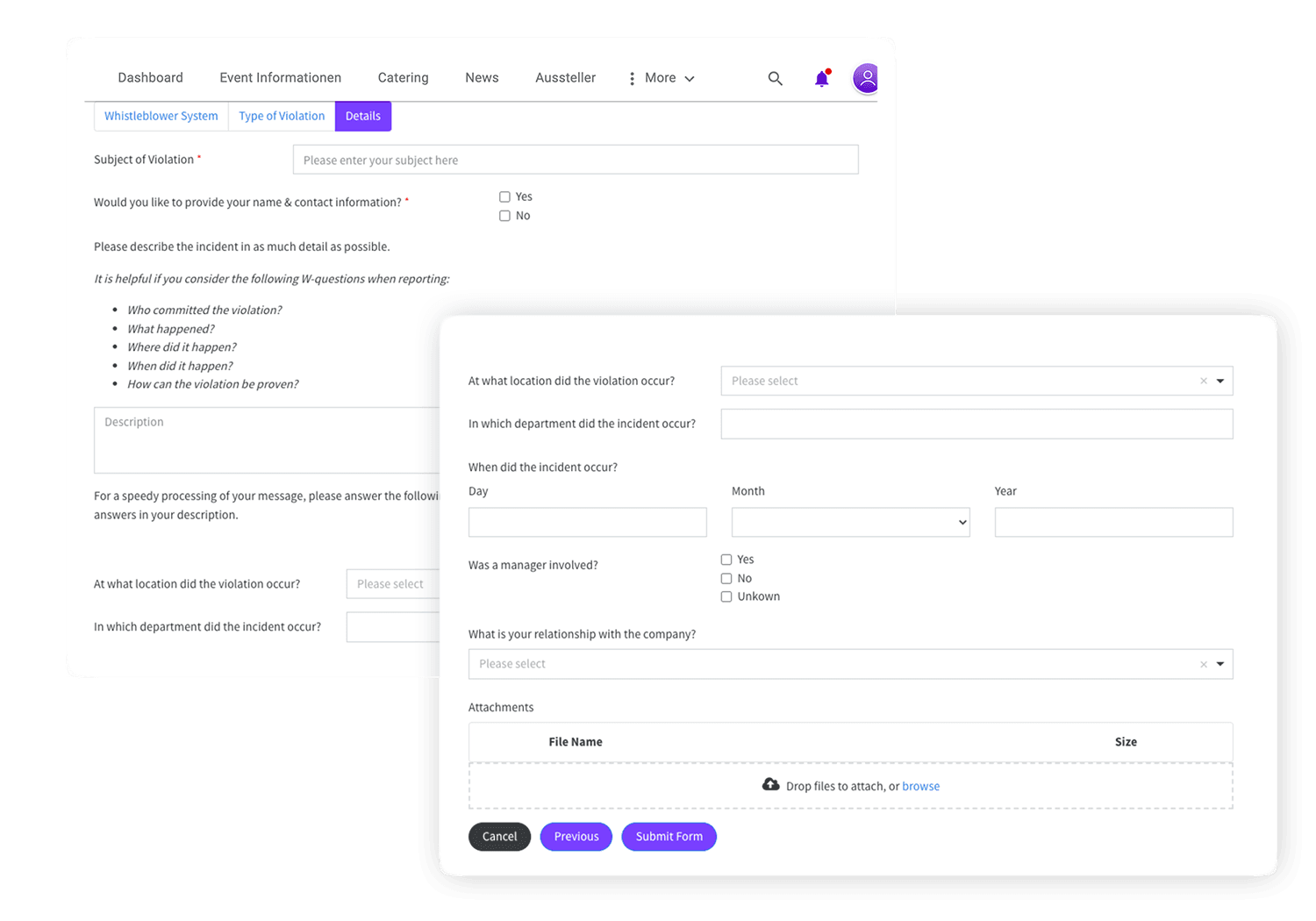
A very interesting and also important example of forms is the realization of a whistleblower system, which must be provided by just about every company. You can read more about this in our blog post.
Forms Feature
Application Examples
Feedback surveys for events
Requesting leave in the company
Realization of a whistleblower system
Contact form with automaticnotification
Sick leave notification via the employee app
More Features
You might also be interested in
Use the notifications feature to share various content with your target group quickly and regardless of location (with...Learn more ->
Polario makes scheduling appointments easy: centrally manage slots and plan meetings efficiently – for events, teams, communities and...Learn more ->
Via the chat feature, you enable simple and fast exchange, directly 1-to-1, as a group chat or even...Learn more ->
Through the media library, each person has instant access to all relevant content and file, such as images,...Learn more ->
Enable easy and fast access to your platform. With login via SAML, oAuth2, or specially created credentials.
Via the bulletin board feature lists, your app will be dynamically and flexibly enriched with a variety of...Learn more ->
Discover the languages feature: automatic translations, individual adaptations and flexible language selection - simple and efficient.
Tags allow you to easily organize and sort content for you and the users:inside your platform.
The app menu provides clear and easy access to the most important content. With links, folders, pictures and...Learn more ->
With the form feature you can create simple feedback surveys or complex workflows with conditions and many more...Learn more ->
Follow us on social media to stay informed.
Do you have any questions or suggestions? Contact us!