Polario API & Integration
Use the Polario API to integrate and automate specific data, connect external tools, or explore a wide range of other possible applications.
What is an API?
API stands for Application Programming Interface. Broadly speaking, an API manages the flow of information between different databases, users and providers. Without APIs, the internet as we currently know and value it would not be possible at all.
Integration
Virtually every type of information is sent, in one form or another, via an interface to various databases, where it is then used in different ways.
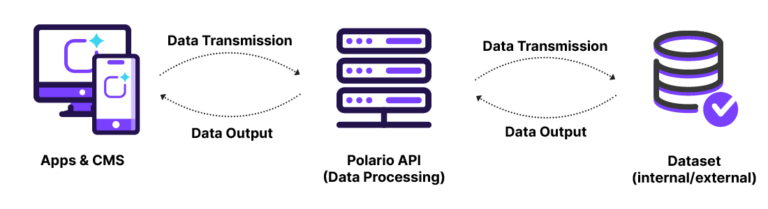
One example of this is an account’s user profile. Information such as the user’s name and email address is entered into the content management system (CMS) or the app and then sent to the API. The API processes and stores this information and returns it to the apps or the CMS when a data request is made.
An overview of Polario API integration
- Integration of in-house tools
- Automation of imports, notifications, etc.
- Using Polario as a Backend as a Service
- In-house developments for even more functionality
Click here for the Polario API documentation:
Polario API & Integration
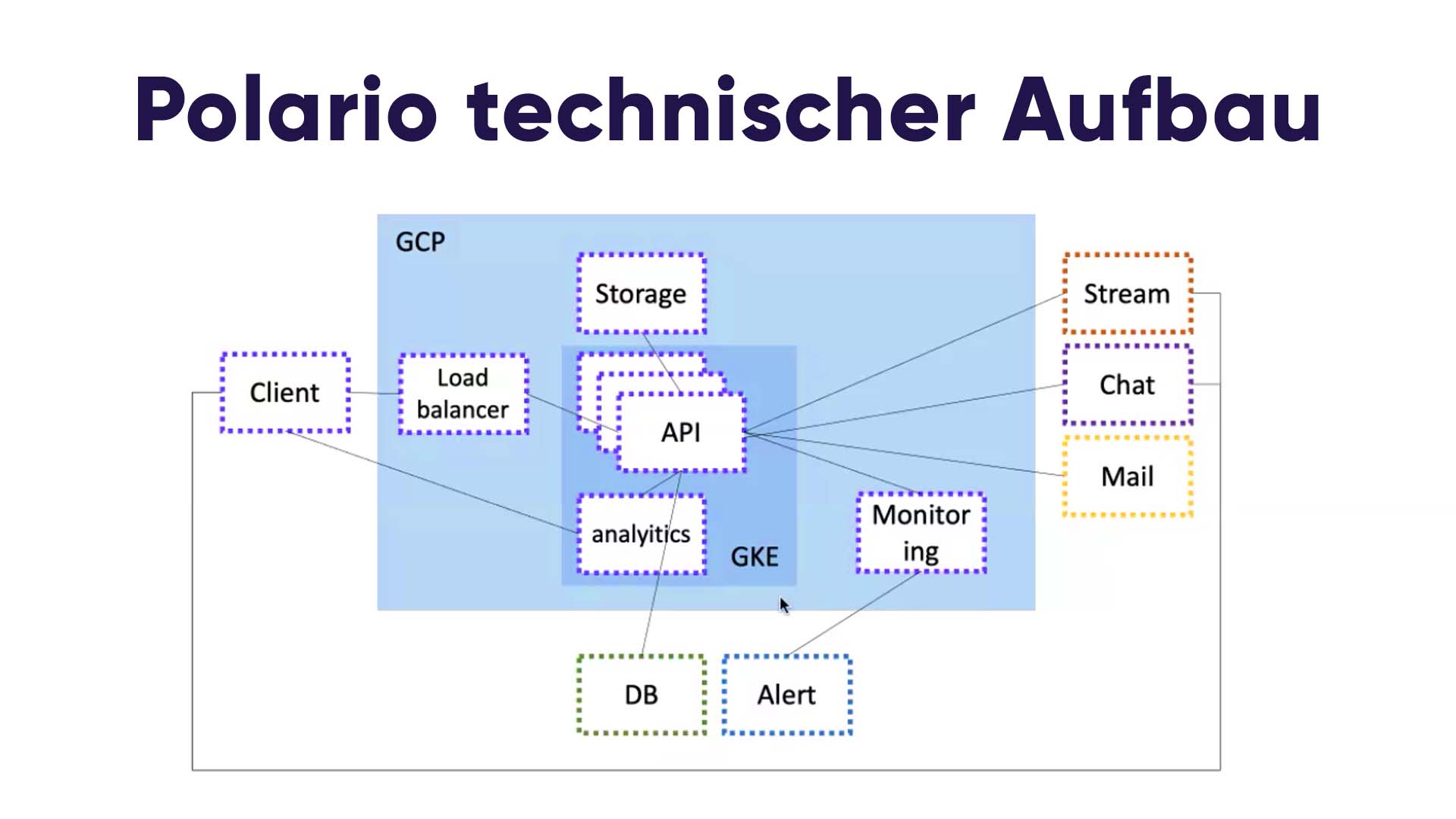
From a technical perspective, the API is at the heart of Polario. All of the system’s data records are populated and updated via interfaces.
This makes it possible to easily integrate dynamic web content and components into Polario. It also allows for the development of entirely bespoke solutions that enable highly customised functionalities within your app.
The API integration allows you to automate the import of contacts, notifications and much more. You can also simplify the analysis of surveys by dynamically retrieving the results. Or create your own fully customised management system, tailored to your corporate identity.
It is also possible to use Polario as a Backend as a Service. In this case, you will only use the API to maintain your data using Polario’s functionalities. You can choose to use Polario front-ends provided by us or to provide your own – either through an external service provider or by developing them in-house.
When developing our Polario API, we have placed particular emphasis on the user experience for in-house development, so as to provide particularly effective support during the implementation process and when handling errors. Integrating our API offers you countless possibilities just waiting to be explored.
Connecting to external APIs & integration
By communicating with external APIs, such as those from third-party providers, functionalities can be easily linked together. To make this possible, all that is required is to develop an adapter that ensures seamless communication. This development is greatly facilitated by the provision of standardised interfaces.
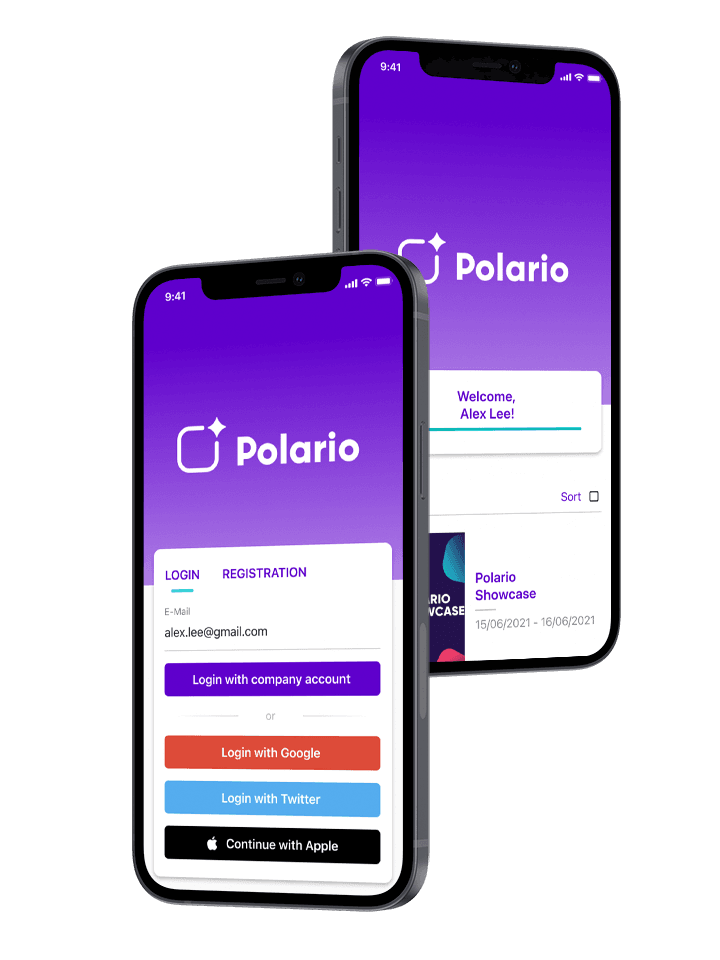
Some of these adapters have already been developed in Polario, such as SAML or OAuth2 login. This greatly simplifies the login process and enables users to log in via external services such as Google and Microsoft, or via corporate accounts which is of particular interest for employee apps.
It would also be possible to develop an adapter to connect to social media platforms. This would allow profile data to be retrieved and displayed within the app.
You can either develop the adapters for communicating with an API and integrating external data yourself, or we can do this for you on request.
Stay up to date!
Subscribe to our newsletter for the latest updates and exclusive content.
News from Head Office
What we’re working on
On our blog, we keep you up to date with product development topics and provide an inside look at our company.
Is WhatsApp sufficient for internal communication? Compare WhatsApp and the staff app in terms of reach, data protection,...Read ->
Is Microsoft Teams sufficient for internal communication? Compare Teams and the Staff App in terms of reach, collaboration,...Read ->
Polario Update 5.9: Enhanced directories, draft mode, new default settings and AI workflows with Polario MCP.
Polario Update 5.8: AI-powered participant recommendations, faster CMS maintenance and new convenience features for administrators.
MCP Security Explained Simply: How businesses use AI integrations with roles, permissions, approvals and secure tools.
MCP Skills make AI assistants more productive: they translate business logic into workflows for content management, imports and...Read ->
What is an MCP server? It connects AI assistants with external systems, data, tools and workflows. Explained simply...Read ->
Polario MCP simplifies AI-powered content management within the CMS – from calendars and directories to imports, bulk actions...Read ->
What is MCP? The Model Context Protocol connects AI assistants with external systems, data and tools. Explained simply...Read ->
Polario Update 5.7: Enhanced security for user imports, conflict-free calendar bookings, a neutral email design and a revamped...Read ->
Follow us on social media to stay informed.
Do you have any questions or suggestions? Contact us!