Skip to content



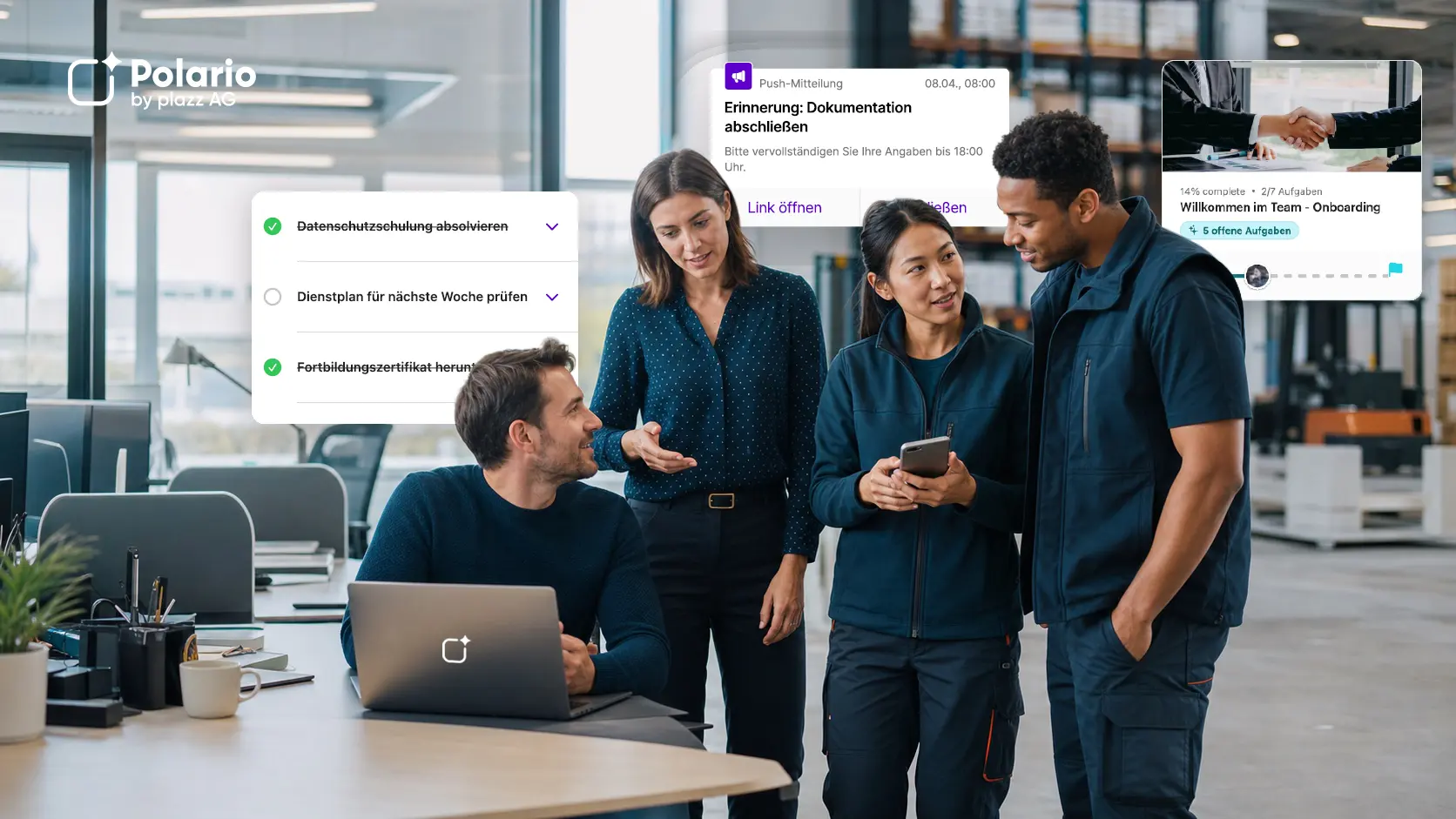

In many companies, Microsoft Teams is the central hub for chats, meetings, files and day-to-day collaboration. At the same time, more and more organisations are introducing a staff app to better reach employees in production, logistics, branch offices, care, service or field roles. This raises an obvious question: is Microsoft Teams sufficient for internal communication, or does a dedicated staff app make more sense?
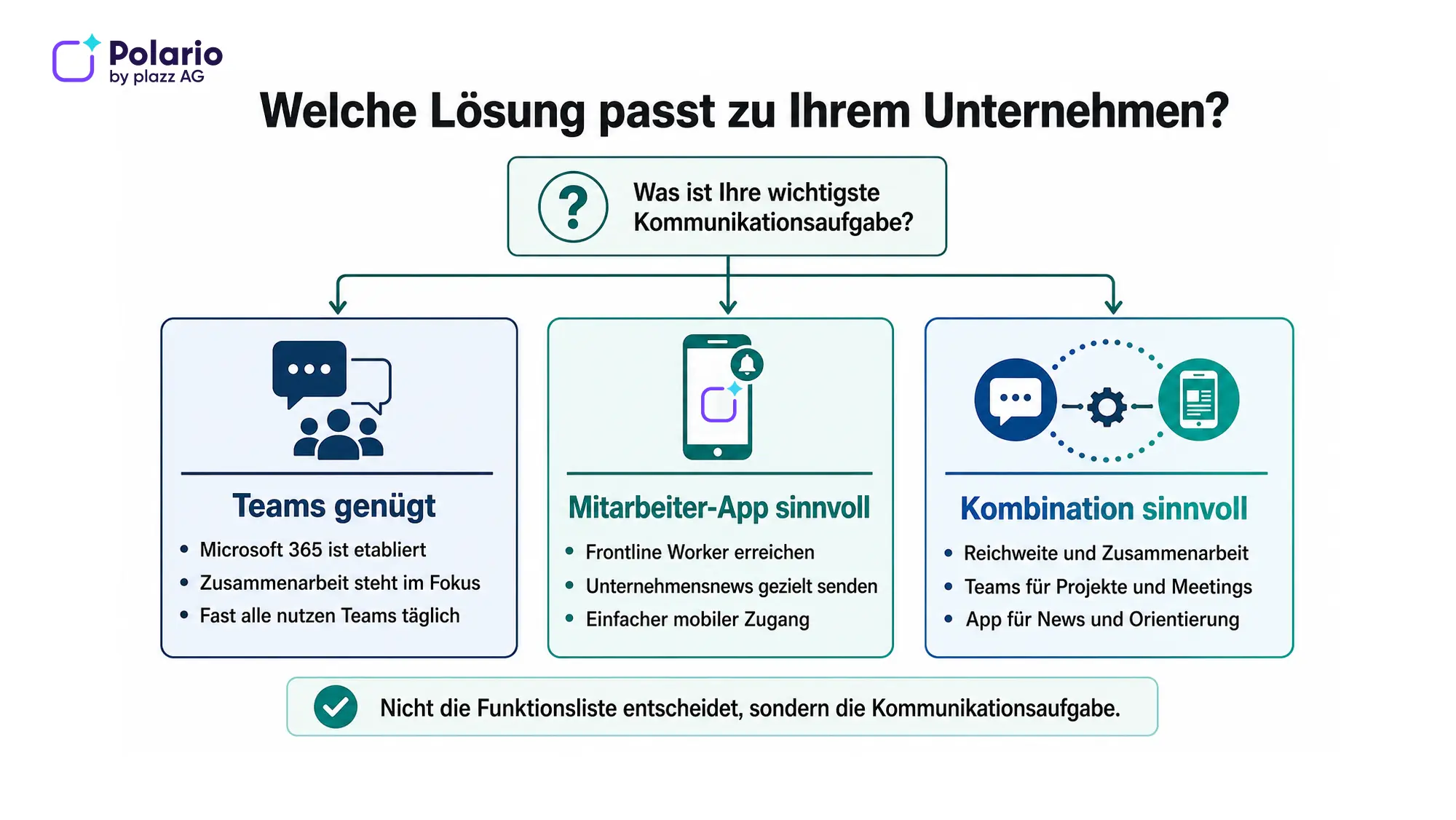
In short: Microsoft Teams is particularly well suited to chats, meetings, files and collaboration within workgroups. An employee app is useful when companies want to reach all staff with targeted news, push notifications and easy mobile access. If an organisation needs both, combining the two is often the best solution.
A brief explanation of the key terms
An employee app is a mobile and web-based platform for internal communication, which companies can use to provide information, documents, appointments and services tailored to specific target groups.
Frontline workers or deskless workers are employees whose work takes place predominantly outside a traditional office environment – for example, in production, logistics, sales, care, service or field work. A frontline worker app is designed to provide them with practical, day-to-day access to company information and digital services.
Deloitte cites an estimated 2.8 billion frontline workers worldwide, whilst noting that many companies have not yet extended digital workplace solutions to this group of employees to the same extent as they have to knowledge workers. The sheer scale of the figure underlines the significance of the access issue, but does not automatically tip the balance in favour of any particular platform. (Deloitte: Closing the technology gap for frontline workers)
Microsoft Teams or the Staff App: What is the fundamental difference?
Microsoft Teams is a collaboration platform within Microsoft 365. Employees use it for a range of purposes, including one-to-one and group chats, video conferences, channels, notifications and collaborating on files. Microsoft also offers specific use cases and licences for staff in service and production roles.
An employee app, on the other hand, is primarily designed for company-wide staff communication and mobile access to information. For example, it brings together company news, push notifications, documents, calendars, directories, social feeds and other systems within a central, brand-specific interface.
The key difference therefore lies not so much in individual functions as in the main task:
- Microsoft Teams organises collaboration: Who is working with whom on a topic, a task or a project?
- An employee app helps organise reach and navigation: what information does each target group need – and how can they access it as easily as possible?
This distinction is not absolute. Teams can support company-wide communication, and an employee app can facilitate communication and collaboration. Anyone looking for an alternative to Microsoft Teams for employee communication should therefore first clarify whether Teams actually needs to be replaced, or whether the organisation simply lacks an additional channel to improve reach and provide guidance. The choice should not be based on the longest possible list of features, but on the organisation’s most pressing communication challenge.
Our blog post, ‘Comparison of internal communication channels’, shows what other options companies can use alongside Teams and a dedicated app:

Employee app and internal communication channels in comparison
Comparison of internal communication channels: analyse the pros and cons to find the best solutions for your company.
What are the strengths of Microsoft Teams?
Microsoft Teams really comes into its own in organisations that already make extensive use of Microsoft 365. Chat, meetings, channels and files are all located within a familiar working environment. Staff can switch directly from a conversation to a meeting or collaborate on documents.
Our article on Microsoft 365 as a social intranet explains how the various Microsoft services can be utilised for this purpose.
Teams is particularly well suited when:
- almost all employees already have a Microsoft account and a suitable device,
- the focus is on day-to-day collaboration within departments, projects and working groups,
- chats, calls, meetings and document work should be closely integrated,
- Microsoft 365 has already been strategically positioned and organisationally established,
- Identities, devices and permissions are managed centrally via the Microsoft environment.
Microsoft also offers a range of options for frontline workers. These include mobile communication, notifications, walkie-talkie functions, shift planning and the integration of additional applications. For a comprehensive frontline solution, other components such as SharePoint, Viva Connections, Power Apps or Power Automate may be relevant alongside Teams.
However, this also highlights the importance of a well-thought-out design: What applications are required? How are accounts and devices managed? What content appears where? Who is responsible for editorial content? Teams is powerful, but a good user experience does not automatically result simply from the software being available.
Microsoft 365 as a social intranet: Polario as an alternative for businesses
Microsoft 365 alternative for your social intranet: The comparison shows when Polario is better suited for internal communication.
What makes an employee app different?
An employee app addresses the communication needs of the entire organisation. It is designed not only to connect work groups, but also to reach employees who are rarely at their desks, do not have a daily email routine, or do not work on a collaboration platform on a regular basis.
To this end, Polario provides, amongst other things, news, push notifications, a social feed, groups, documents, calendars, directories, chat, roles and permissions, as well as a no-code content management system. Content can be targeted at specific audiences and made accessible via mobile apps and a web app.
An employee app is particularly suitable when:
- relevant company information should be reliably communicated to different locations and employee groups,
- many staff members do not have a fixed PC workstation,
- communication should be steered more by editorial decisions,
- a clear, customised mobile interface is important,
- News, documents, dates and related systems should be accessible via a central portal,
- The reach and usage of the content are to be analysed.
However, an employee app does not automatically replace every form of collaboration. For complex project work, frequent video conferences or collaborative editing of Office documents, Microsoft Teams may still be the more suitable working environment.
A comparison of the staff app and Microsoft Teams
| Decision criterion | Microsoft Teams | Dedicated staff app |
|---|---|---|
|
Main task |
Collaboration, chat, meetings and working groups |
Company-wide information, mobile reach and wayfinding |
|
Typical users |
Knowledge workers, project teams and Microsoft 365 users; frontline scenarios are also possible |
The entire workforce, particularly deskless and frontline workers |
|
Company News |
Can be implemented using Teams and other Microsoft 365 components |
Intended as a central core function |
|
Direct collaboration |
Excellent for chats, meetings, channels and files |
Exchange is possible, but it is not the sole focus |
|
Mobile usage |
Mobile app available |
Mobile use is a key part of the concept |
|
Push-Messages |
Notifications within the Teams structure |
Targeted push notifications for editorial content |
|
Branding and navigation |
Customisations are possible; the Teams environment remains recognisable |
More focused on an in-house app experience |
|
Editorial control |
Depending on the Teams, SharePoint and Viva structure that has been set up |
Content is managed centrally via a content management system |
|
Microsoft integration |
Natively integrated into Microsoft 365 |
Existing systems can be connected via integrations and interfaces |
|
Introduction |
Particularly beneficial where Microsoft 365 is already in use; frontline scenarios nevertheless require planning and roll-out |
In-house roll-out project with a target audience, content and governance strategy: design and roll-out |
|
Suitable if … |
The focus is on collaboration and Microsoft 365 processes |
The focus is on reach, simplicity and organisation-wide communication |
The table deliberately does not present a one-size-fits-all solution. The weighting of the criteria depends on which employee groups need to be reached and which communication processes are currently not working.
When is Microsoft Teams sufficient?
Microsoft Teams may be sufficient if almost all staff are already actively using Microsoft 365 and the main issue lies in collaboration. This applies, for example, to a consultancy firm where most staff work on computers every day, regularly attend meetings and collaborate on documents.
Teams can also be a solution for staff in service and production roles, provided the company provides the necessary licences, identities, devices, applications and management processes. The key factor is that mobile access actually works seamlessly in day-to-day work, rather than merely being technically possible.
Before making a decision, companies should consider the following:
- Does every relevant person have a suitable user account?
- Do the target groups regularly open Teams?
- Can important company information be clearly distinguished from project and chat messages?
- Can editorial managers publish content without facing unnecessary obstacles?
- Are the navigation, permissions and notifications easy to understand, even for occasional users?
If the answers to these questions are predominantly ‘yes’, it may make more sense to expand the existing Microsoft environment rather than introduce an additional channel.
When is an employee app a better option than Microsoft Teams?
A dedicated staff app becomes increasingly important when a large proportion of the workforce operates outside traditional office environments. In manufacturing, logistics, retail, transport, care or field service, internal communication often still takes place via noticeboards, word of mouth, private messaging apps or hard-to-access intranet pages.
In situations like these, the key question – “Employee app or Microsoft Teams?” – is not whether, in theory, another tool is available. What matters is which approach is adopted in day-to-day working life and which ensures that information is reliably visible.
An employee app is a particularly obvious choice when:
- if employees have so far received important information late or not at all,
- private and work-related communication channels should be clearly separated,
- where location- or group-specific messages are required,
- Corporate communications need a clearly identifiable digital home,
- to simplify access to documents, contact persons, appointments and services,
- the user interface must remain as simple and straightforward as possible.
When making a specific choice, it is advisable to set out the requirements for an employee app in writing before deciding on a provider.
Once the decision has been made, a structured approach to launching an employee app helps to plan target groups, content, responsibilities and the roll-out at an early stage.

Introducing an employee app: How to ensure successful planning, pilot and roll-out
Successfully rolling out an employee app: planning step by step – objectives, project team, data protection, content, pilot, go-live and measuring success.
Requirements of an employee app
Learn about the requirements of an employee app and what needs to be considered in order to realize them in the best possible way.
When does it make sense to use Teams in combination with the employee app?
In many companies, the best answer is not ‘either Teams or the staff app’, but a clear division of responsibilities.
One possible model looks like this:
- The staff app serves as a central hub for company news, push notifications, events, documents and services.
- Microsoft Teams remains the platform of choice for chats, meetings, project groups and shared files.
- Relevant Microsoft 365 content or applications are linked to the Staff App via links, single sign-on or available interfaces.
This means that companies do not need to replace an established collaboration platform. At the same time, employees who do not use Teams on a daily basis are provided with a more accessible channel of communication.
Whether and how such integration can be implemented should be assessed on the basis of the existing system landscape, identity management and the desired user flows. A mere technical link is not enough: users must be able to understand what content they can find in which system.
Conclusion: It all comes down to the communication task
Microsoft Teams is a powerful platform for communication and collaboration – including for many frontline scenarios. However, a dedicated staff app has a different focus: it is designed to make relevant company information easily accessible to the entire workforce and, in particular, to better engage employees who do not have a fixed office desk.
Teams is usually the obvious choice if Microsoft 365 is already in widespread use and the focus is on day-to-day collaboration. An employee app is particularly useful when reach, mobile convenience, editorial control and centralised access to company information are key. If both requirements are important, combining the two systems can offer the greatest benefit.
Would you like to find out which model is right for your organisation? In a Polario demo, you can work with us to review your target audiences, communication channels and integration requirements.
Sources and editorial basis
- Polario employee app: https://polario.app/de/mitarbeiter-app/
- Microsoft Teams for frontline workers: https://adoption.microsoft.com/de-de/microsoft-teams/frontline-workers/
- Microsoft Learn – Microsoft 365 for service and production staff: https://learn.microsoft.com/de-de/microsoft-365/frontline/flw-overview
- Deloitte – Closing the technology gap for frontline workers: https://www.deloitte.com/us/en/services/consulting/blogs/human-capital/frontline-worker-technologies-for-productivity.html
Frequently asked questions (FAQ)
Can Microsoft Teams replace an employee app?
Microsoft Teams can replace an employee app if almost all staff actively use Teams and the focus is on collaboration, chats, meetings and files. However, if there is no simple, editorially managed channel for company news and for staff groups that are difficult to reach, a dedicated employee app may be a better option.
Is Microsoft Teams suitable for frontline workers?
Yes. Microsoft offers Teams and Microsoft 365 solutions for service and production staff, including mobile communication, notifications, walkie-talkie functionality and shift planning. However, organisations need to consider how user accounts, licences, devices, applications and the roll-out will be organised for their specific target groups.
What is the benefit of a frontline worker app?
A frontline worker app brings together relevant information and services in a mobile platform tailored to employees who do not have a fixed PC workstation. Its main advantages lie in its simple navigation, content tailored to the target audience, push notifications and a clear digital hub for internal communication.
When should companies combine Teams with an employee app?
A combination of the two makes sense if Teams is already in place for projects, chats, meetings and files, but not all staff can be reliably reached with company information. The employee app can then handle news and guidance, whilst Teams supports day-to-day collaboration.
Which systems need to be connected to an employee app?
That depends on the use case. Common examples include identity and access management, Microsoft 365, HR systems, document repositories, calendars and other business applications. Before making a selection, it is important to assess which information simply needs to be linked and which data or functions need to be technically integrated.
How can you choose the right solution?
Companies should first document their target audiences, communication challenges, existing accounts and devices, editorial responsibilities, integrations and desired metrics. They can then test teams, an employee app and the combination of these using the same usage scenarios. A structured selection process for an employee app helps to prioritise requirements at an early stage.