Skip to content




TL;DR
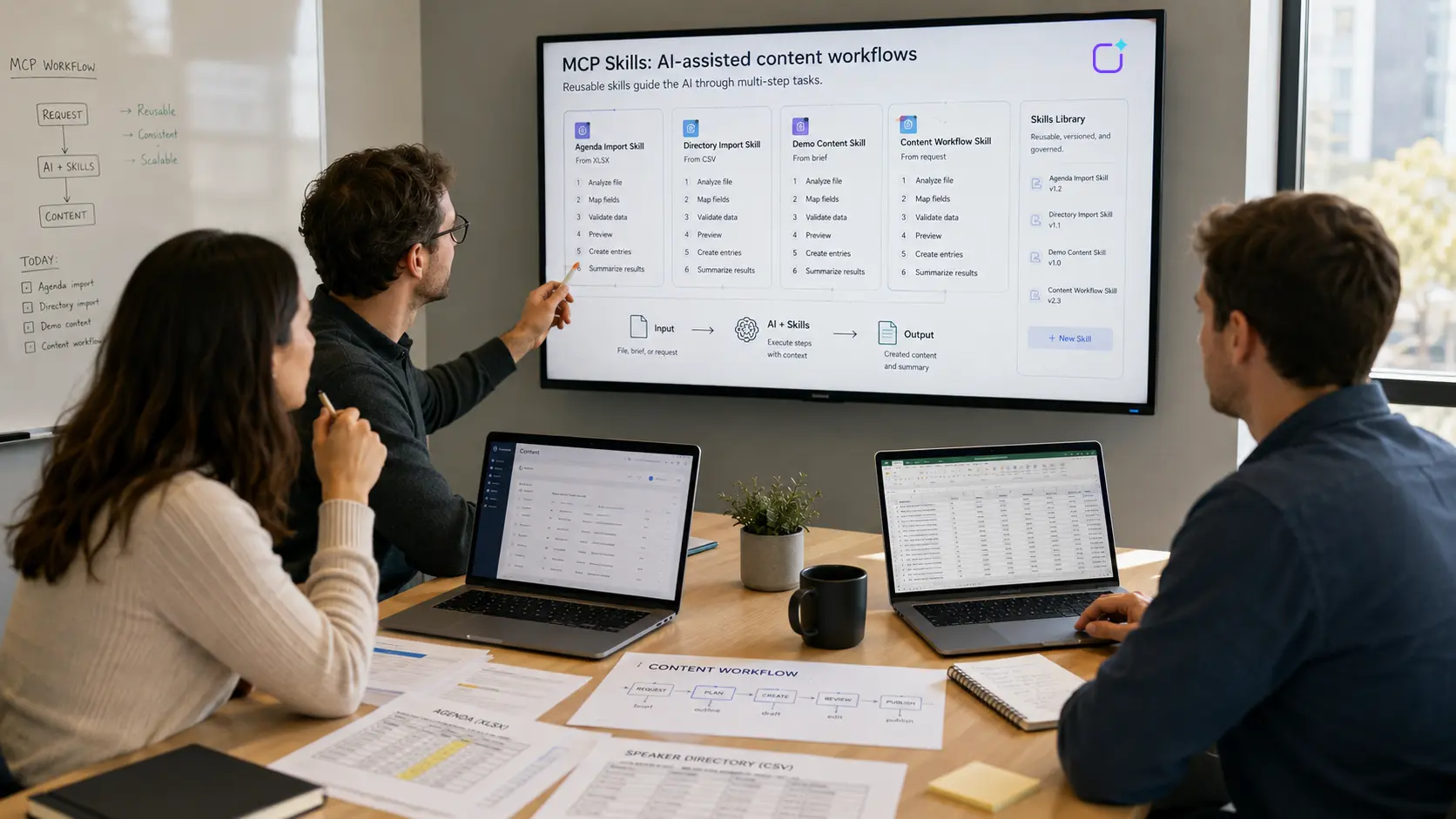
MCP Skills are reusable work instructions for AI assistants. They describe, step by step, how to achieve a goal, which rules apply, and which MCP Tools should be used for that purpose. This transforms individual technical functions into productive, manageable workflows.
MCP Skills make AI assistants more productive because they map recurring tasks as clear instructions. While MCP Tools provide individual functions, Skills explain how multiple functions can be combined effectively.
This is particularly important when AI is intended not only to perform individual actions but also to support actual business processes. For example, a tool can create a calendar entry. A skill, on the other hand, describes how an entire agenda should be imported from an Excel file, verified, structured, and created using multiple tools.
For Polario, MCP Skills are a key driver of productivity. The Polario MCP Server provides many individual functions, such as those for projects, news, pages, calendars, directories, media, accounts, keywords, maps, menus, configuration, and search. Skills make this wide range of tools easier to use because they turn individual functions into reusable workflows.
If you’d like to start by understanding how MCP works in general, you’ll find the technical basics in the article “How MCP Works: Architecture, Process, and Components Explained Simply.” The feature article “What Is an MCP Server?” explains the role the server plays in this process. The main article “AI in the Polario CMS: How MCP Simplifies Complex Platform Operation” describes its specific application in Polario.
What is an MCP server? Features, structure and examples
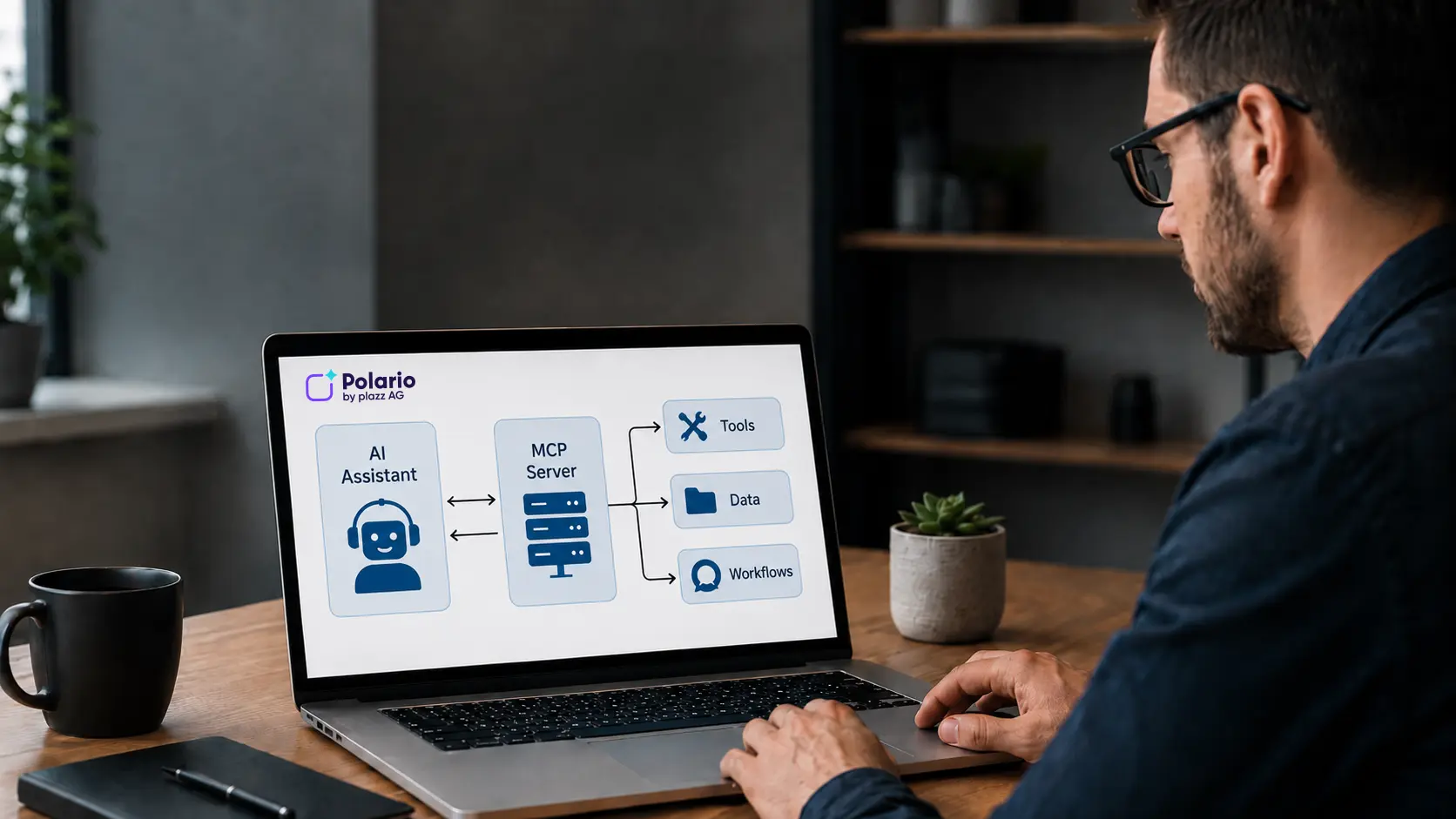
What is an MCP server? It connects AI assistants with external systems, data, tools and workflows. Explained simply using the Polario example.
In a nutshell: What are MCP Skills?
MCP Skills are structured instructions for AI assistants. They describe how a specific task should be performed, what inputs are required, what order makes sense, and what checks or safety rules must be followed.
An MCP skill can use multiple tools. It can also define rules, validation steps, prompts, previews, error handling, and summaries.
Simply put:
A tool performs a single function.
A skill explains how multiple functions come together to form a meaningful workflow.
Example:
A tool can create a calendar entry.
A skill can import a complete agenda from an Excel file.
Why aren’t MCP tools alone enough?
MCP tools are important, but they only solve part of the problem. A tool can perform a function, but it does not automatically specify when that function should be used, in what order it should be combined with other tools, or how to handle special cases.
When a user says:
“Import this calendar from Excel.”
Then it’s about more than just creating individual calendar entries. The wizard must understand:
- What columns does the file contain?
- Which column is the title?
- Which columns contain the start and end times?
- Are there multiple days for the event?
- Are there rooms or tracks?
- Are there any speaker assignments?
- How are missing data points handled?
- Should a preview be generated before importing?
- How are errors reported?
- What happens if there are duplicates?
This logic isn’t automatically built into a single tool. It must be defined as a workflow. This is exactly where skills come into play.
A skill turns several technical options into a reproducible process. This means the user doesn’t need to know which tools are available or in what order they need to be used.
What is the difference between MCP Tools and MCP Skills?
The difference between a tool and a skill is key to understanding productive MCP workflows.
MCP Tool vs. MCP Skill: A Comparison
| Criterion | MCP Tool | MCP Skill |
|---|---|---|
|
Basic idea |
A single executable function |
Reusable work instruction |
|
Example |
Create a calendar entry |
Import a calendar from Excel |
|
Focus |
Technical action |
Complete workflow |
|
Scope |
Usually a single step |
Several steps, rules and checks |
|
Use |
Called by the wizard |
Specifies the procedure for the assistant |
|
Added value |
Makes external systems executable |
Makes processes repeatable and consistent |
|
Risk without structure |
The tool is being used incorrectly or incompletely |
Skill reduces errors by setting clear rules |
|
Polario example |
create_calendar_entry |
“Import calendar” |
An MCP tool is, therefore, the executable function. An MCP skill is the set of instructions on how to use this function in the context of a real-world work process.
This is what makes skills particularly valuable to companies. After all, companies rarely think in terms of isolated functions. They think in terms of processes.

AI in Polario CMS: How MCP simplifies complex platform operation
Polario MCP simplifies AI-powered content management within the CMS – from calendars and directories to imports, bulk actions and demo content.
What is MCP? The Model Context Protocol explained simply
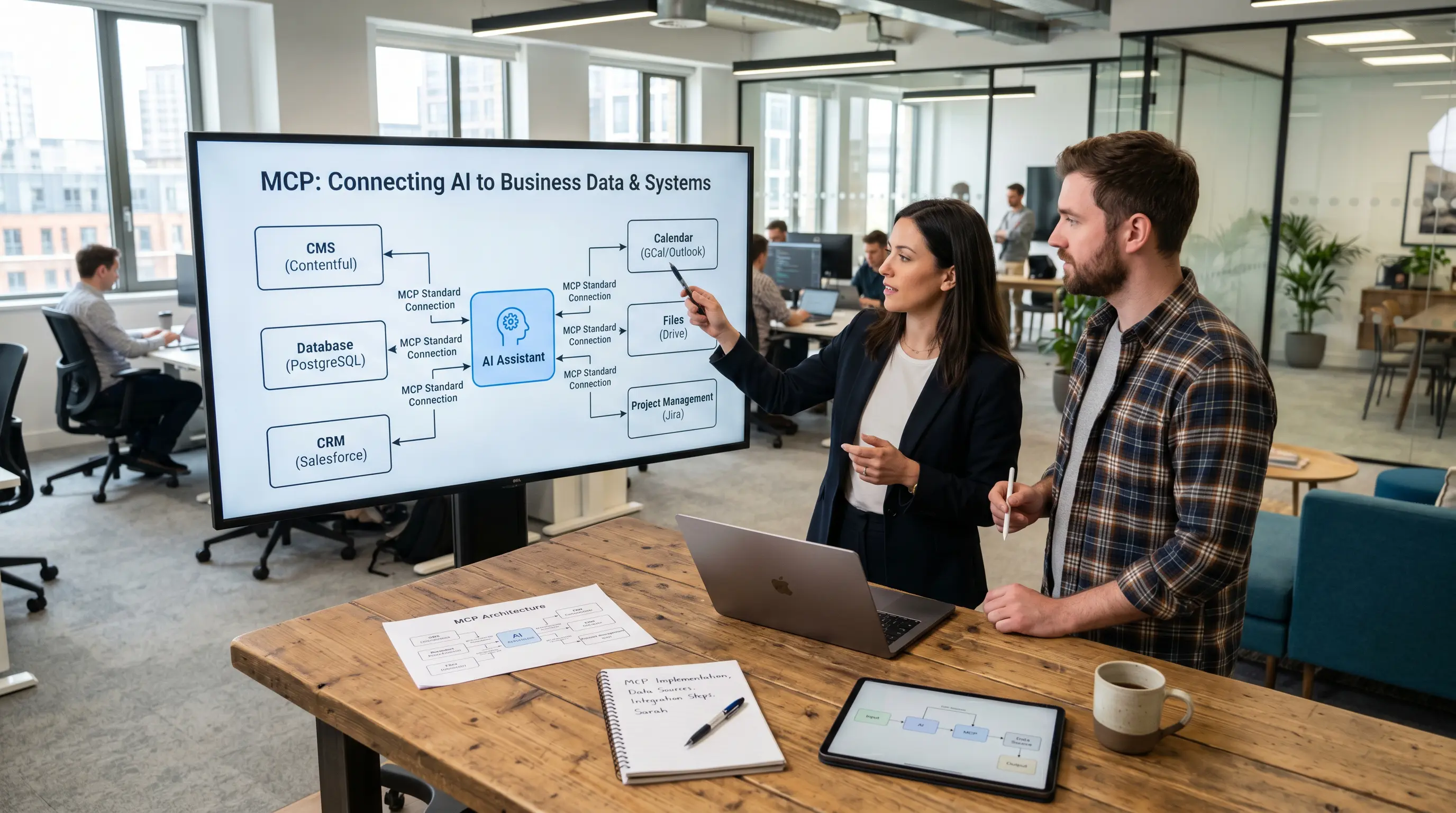
What is MCP? The Model Context Protocol connects AI assistants with external systems, data and tools. Explained simply with examples.
Why are MCP skills particularly relevant for Polario?
Polario is a flexible platform for a variety of communication scenarios. The platform can be used for events, communities, internal communication, employee apps, and digital information platforms.
This flexibility is a major advantage. At the same time, it means that content processes can vary depending on the project.
An event project might need:
- Agenda
- Speaker
- Exhibitors
- Sponsors
- Push-News
- Media
- Floor Plans
- Categories
An employee app is more likely to require:
- News
- Pages
- Departments
- Locations
- internal content
- Contact Person
- Documents
A community app places greater emphasis on:
- Directories
- Groups
- members
- Contents
- Interaction
- recurring communication
Polario MCP already provides many tools. It currently includes more than 75 tools for projects, news, pages, calendars, directories, media, accounts, keywords, maps, menus, configuration, and search.
MCP Skills make this wide range of tools easy to use. They reduce the cognitive load because users don’t need to know which tools are required or in what order. Users define the goal, and the skill tells the AI assistant the appropriate course of action.
What MCP skills are available at Polario?
Polario Skills translates recurring content processes into structured work instructions. Four skill types are particularly relevant at this time:
| Polario Skill | Purpose |
|---|---|
|
Generate demo content for the agenda |
Creates plausible demo agendas for sales and client meetings |
|
Import calendar |
Converts Excel or CSV schedules into structured calendar entries |
|
Generate demo content for the directory |
Create sample content for speakers, exhibitors, sponsors or partners |
|
Import directory |
Imports directory data from structured files |
All four skills follow the same basic principle: They describe a reusable workflow for the AI assistant. In doing so, they define what inputs are required, what checks should be performed, and which MCP tools should be used.
The demo content skills help you quickly generate realistic sample content for presentations, tests, or client meetings. For example, you can create complete agendas or exhibitor directories tailored to a specific event or industry scenario.
The import skills, on the other hand, help with importing existing data from Excel or CSV files. They analyze the structure of the files, map fields, check data quality, identify potential errors or duplicates, and prepare the content for import using the appropriate Polario MCP tools.
As a result, users do not need to be familiar with the available tools or the individual steps in the process. They simply state their desired goal, while the skill handles the technical logic and workflow.
What makes a good MCP skill?
A good MCP skill isn’t just a long set of instructions. It is clear, robust, reusable, and tailored to a specific use case.
Quality Criteria for MCP Skills
| Criterion | Meaning |
|---|---|
|
A clear task |
The skill tackles a specific task, not ‘everything at once’ |
|
Unambiguous entries |
The assistant knows what information is required |
|
Test steps |
Data is validated before actions are carried out |
|
Safe design |
Use the preview, summary or confirmation for critical actions |
|
Good error messages |
Users understand what went wrong and why |
|
Reusability |
This skill works for many similar situations |
|
Domain logic |
The system’s technical rules are taken into account |
For Polario, this means that a good skill should not only work technically, but also take into account the business logic behind content maintenance, imports, schedules, and directories.
How Do MCP Skills Translate into Business Logic?
An MCP skill is a reusable form of business logic for AI assistants. It makes implicit process knowledge explicit and usable.
Many companies have internal expertise on how to maintain content, verify data, or prepare imports. This expertise often resides with experienced employees in customer service, project management, sales, or editorial departments.
Skills make this knowledge reusable.
For example, a skill can specify:
- How an Agenda file is checked
- when the assistant should ask follow-up questions
- which fields are required
- Which errors must be displayed before the import
- what content may be generated automatically
- When Confirmation Is Required
- how the results should be summarized
This doesn’t just make a single user more efficient. It helps the entire team work more consistently.
MCP Skills are therefore more than just productivity tools. They are a way to translate operational standards into AI-powered workflows.
What are the limitations of MCP Skills?
MCP Skills make AI assistants more structured and reliable. However, they do not automatically solve every problem.
Typical Limitations of MCP Skills
| Border | Meaning |
|---|---|
|
Poor data quality |
Incomplete or contradictory entries will continue to result in queries |
|
Unclear objectives |
If the task is too vague, the assistant needs further information |
|
Lack of tools |
A skill can only perform tasks for which suitable MCP tools are available |
|
Special technical cases |
Not every exception can be fully modelled in advance |
|
Safety requirements |
Critical actions still require authorisation and monitoring |
|
Maintenance requirements |
Skills need to be tested, improved and kept up to date |
|
No substitute for professional responsibility |
Users must check and approve results |
These limitations are important for setting realistic expectations. A skill does not make AI infallible. However, it ensures that recurring tasks are handled in a more structured, transparent, and consistent manner.
AI in Polario CMS: How MCP simplifies complex platform operation
Polario MCP simplifies AI-powered content management within the CMS – from calendars and directories to imports, bulk actions and demo content.
How are MCP skills and MCP security related?
MCP Skills can make an important contribution to safety because they define how an assistant should act. Nevertheless, they are no substitute for a safety plan.
For example, a secure skill should specify:
- When a preview is generated
- When users must confirm
- which actions should not be performed automatically
- how to handle bulk changes
- how errors and skipped records are reported
- which data should not be changed
This is especially important when it comes to content management systems. An AI assistant should not publish, delete, or overwrite content without supervision.
This is especially important when it comes to content management systems. An AI assistant should not publish, delete, or overwrite content without supervision.
The feature article “MCP Security: What Companies Should Keep in Mind When Integrating AI” explains which security mechanisms companies should pay closer attention to.
MCP Security: What businesses should bear in mind when integrating AI
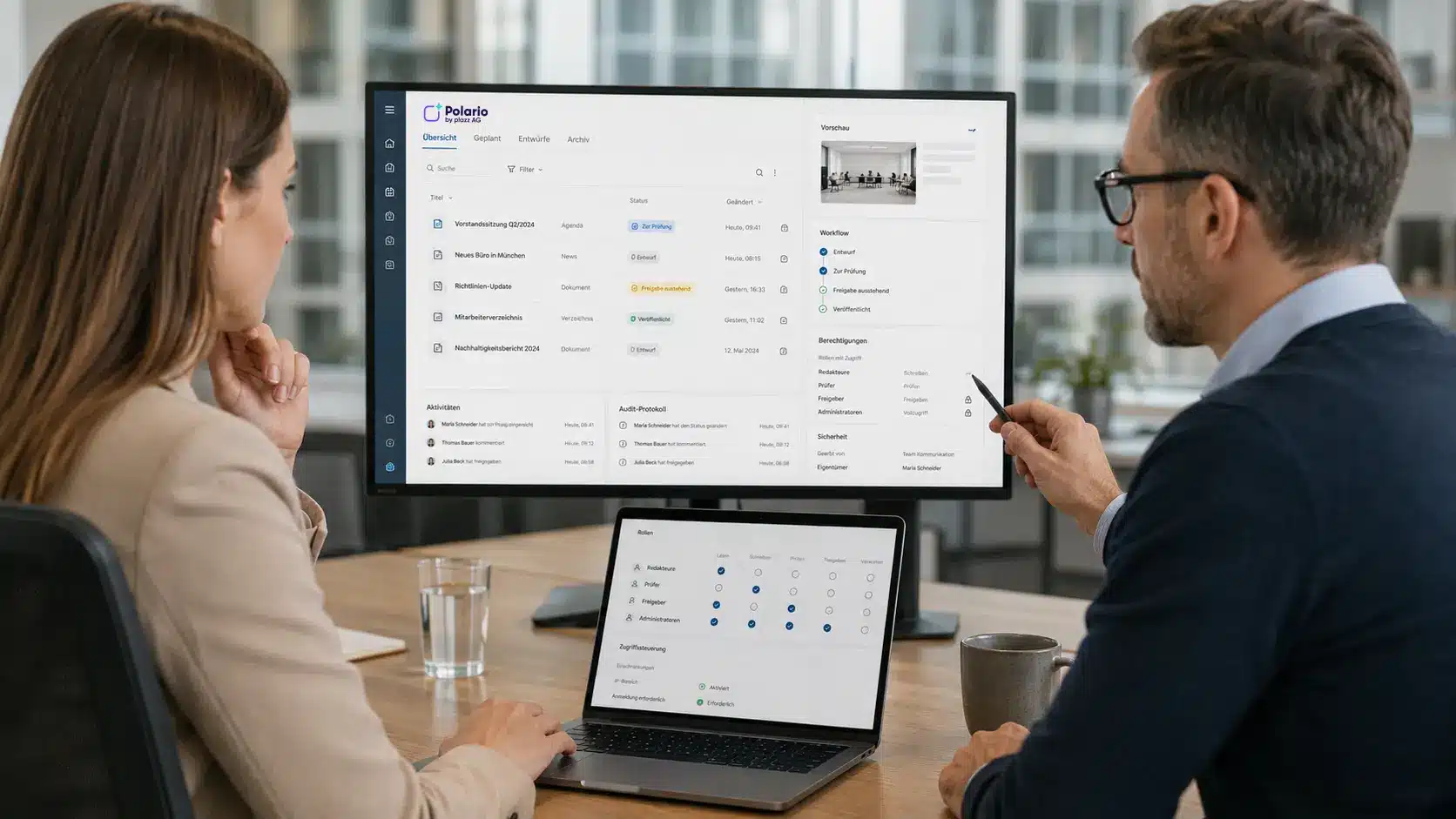
MCP Security Explained Simply: How businesses use AI integrations with roles, permissions, approvals and secure tools.
When are MCP skills worthwhile?
MCP Skills are particularly valuable when tasks are repetitive, rule-based, or error-prone.
Typical cases:
- Calendar Imports
- Directory Imports
- Demo Content Creation
- News Series
- Media Assignment
- Bulk Changes
- Data Cleaning
- recurring testing processes
- customized demos
- Standardized content workflows
Skills are particularly relevant for Polario because many content processes are similar but not identical. A skill can provide enough structure without limiting the platform’s flexibility.
Key Takeaways
- MCP Skills are reusable work instructions for AI assistants.
- Tools perform individual functions, while skills describe complete workflows.
- MCP Skills transforms technical functions into productive business processes.
- For Polario, skills are particularly relevant for agenda imports, directory imports, and demo content.
- Good skills include clear tasks, inputs, verification steps, error handling, and safety rules.
- Skills can translate implicit team knowledge into reusable AI workflows.
- Skills do not replace oversight; rather, they make AI support more structured and transparent.
- The greatest value is created when recurring content processes need to be carried out more quickly and consistently.
Conclusion
MCP Tools establish the technical connection to a system. MCP Skills make that connection productive.
For Polario, this means that recurring content processes—such as agenda imports, directory imports, or the creation of demo content—can be defined as skills and reused time and again. This reduces the number of clicks required, lowers the cognitive load, and makes complex content management more accessible.
The true value of MCP Skills lies in the fact that they map business logic. They transform experience, best practices, and process knowledge into reusable instructions for AI assistants.
Skills are therefore the key to turning an MCP server into a true productivity tool.
If you’d like to understand the technical fundamentals, the article “How MCP Works: Architecture, Process, and Components Explained Simply” provides the information you need. The article “What Is an MCP Server?” explains the role the server plays. The main article “AI in the Polario CMS: How MCP Simplifies Complex Platform Operation” describes its specific application in Polario.
AI in Polario CMS: How MCP simplifies complex platform operation
Polario MCP simplifies AI-powered content management within the CMS – from calendars and directories to imports, bulk actions and demo content.
Sources and further information
Official MCP Introduction: Model Context Protocol Introduction
https://modelcontextprotocol.io/docs/getting-started/intro
Official MCP Specification: Model Context Protocol Specification
https://modelcontextprotocol.io/specification/2025-11-25
MCP Architecture: Architecture Overview
https://modelcontextprotocol.io/docs/learn/architecture
MCP Server Concepts: Understanding MCP Servers
https://modelcontextprotocol.io/docs/learn/server-concepts
MCP Tools: Server Tools Specification
https://modelcontextprotocol.io/specification/2025-06-18/server/tools
MCP Resources: Server Resources Specification
https://modelcontextprotocol.io/specification/2025-06-18/server/resources
MCP Prompts: Server Prompts Specification
https://modelcontextprotocol.io/specification/2025-06-18/server/prompts
Anthropic Agent Skills Overview
https://platform.claude.com/docs/en/agents-and-tools/agent-skills/overview
Anthropic Skill Authoring Best Practices
https://platform.claude.com/docs/en/agents-and-tools/agent-skills/best-practices
Anthropic Skills for Enterprise
https://platform.claude.com/docs/en/agents-and-tools/agent-skills/enterprise
Frequently asked questions (FAQ)
What are MCP Skills?
MCP Skills are reusable work instructions for AI assistants. They describe how a specific task should be performed, what rules apply, and what tools can be used for that purpose.
What is the difference between MCP Tools and MCP Skills?
MCP Tools are individual executable functions. MCP Skills are structured workflows that explain how to effectively combine multiple tools to achieve a goal.
What are MCP skills used for?
MCP skills are needed so that AI assistants can not only perform individual functions but also handle recurring tasks consistently. They are particularly helpful for imports, content maintenance, demo content, and bulk actions.
How do MCP Skills work at Polario?
In Polario, MCP Skills describe how the AI assistant should perform certain CMS tasks. Examples include importing an agenda, importing a directory, generating demo content for an agenda, or creating demo content for a directory.
Are MCP skills the same as prompts?
No. Prompts are predefined templates or instructions. Skills can include prompts, but they usually go further: They describe a complete workflow with rules, validation steps, tool usage, and result logic.
Can MCP Skills use multiple tools?
Yes. An MCP skill can use multiple MCP tools. For example, an agenda import can combine tools for project search, calendar creation, data validation, and bulk creation.
What makes a good MCP skill?
A good MCP skill has a clear purpose, unambiguous inputs, validation steps, reliable execution, good error messages, and reusability. It should be tested using real-world examples.
What are the limitations of MCP Skills?
MCP Skills are only as good as their description, the available tools, and the underlying data. Poor data quality, missing permissions, or unclear objectives can still lead to errors or follow-up questions.
Are MCP Skills secure?
MCP Skills can be used safely if they take into account previews, confirmation, role-based permissions, error handling, and logging. However, they do not replace an overarching security and authorization strategy.
When are MCP skills worthwhile?
MCP Skills are worthwhile when tasks recur regularly, involve multiple steps, or are prone to errors. They are particularly useful for imports, content maintenance, bulk actions, and customer-specific demo content.