Skip to content




The new Polario Update 5.7 focuses on security, efficiency and a smoother user experience. From mandatory password changes following admin assignment and conflict-free appointment bookings to revamped email templates and optimised user import – this update delivers targeted improvements that significantly reduce the workload for both administrators and end users.
Automatic password change following admin assignment
When user accounts are created or imported by CMS administrators, the initial passwords are often left unchanged. This poses a security risk – particularly for internal solutions and community apps containing sensitive content.
From now on, the system will automatically mark a password as expired as soon as a CMS administrator assigns or overwrites it. The next time the user logs in, they will be prompted to set a personal password before being granted access to the app.
Accounts with known passwords set by third parties are automatically secured in this way – without any additional manual effort on the part of the administration.
No more duplicate calendar entries
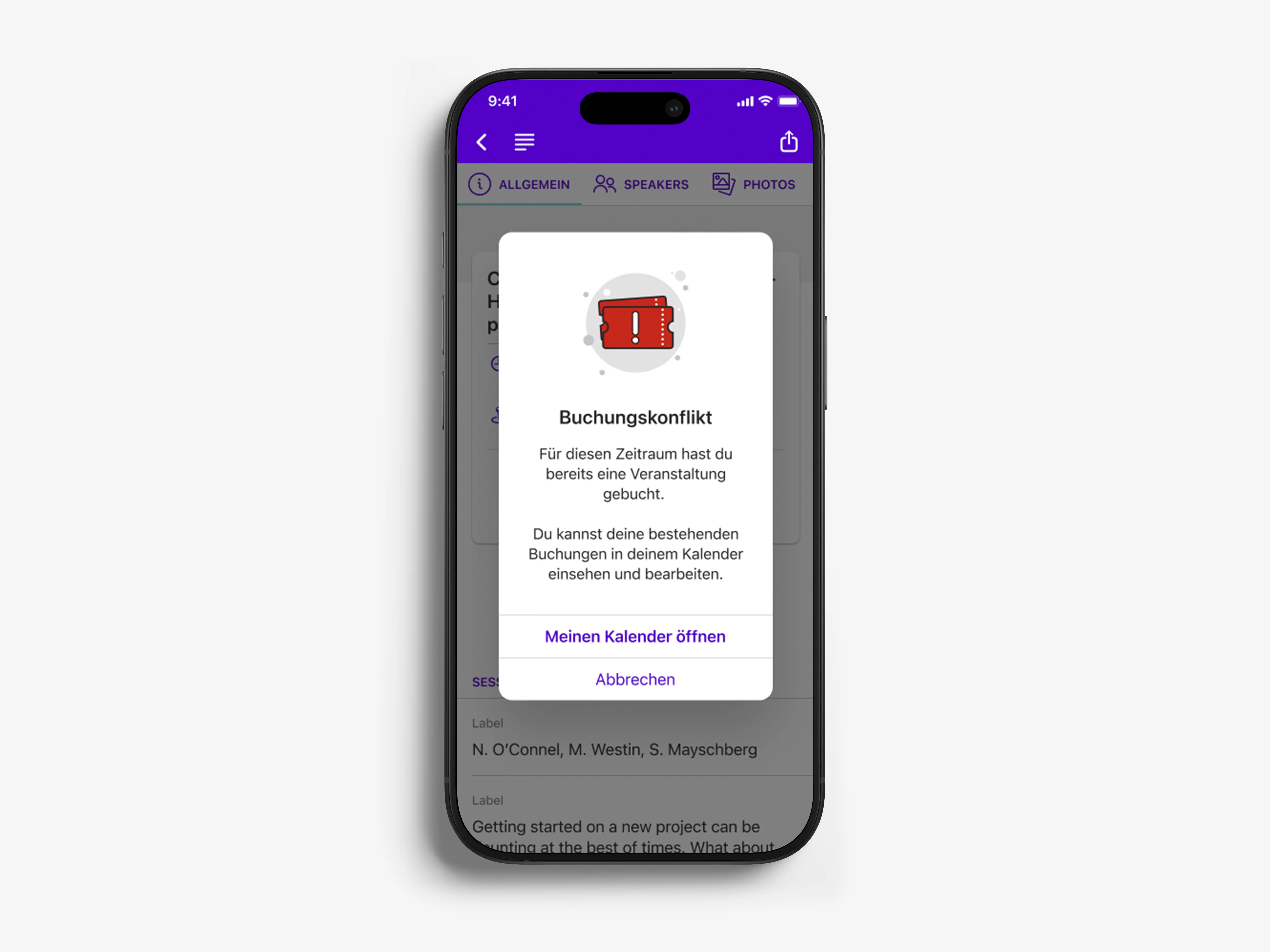
Until now, users have been able to book several calendar entries at the same time, even if the time slots overlapped. This led to double bookings and confusion about which appointment was actually the one to attend.
In Polario 5.7, the system prevents duplicate bookings. If a user attempts to book an entry that overlaps with an existing booking, they will be clearly informed of this.
The result: participants can keep track of their personal schedules, and organisers benefit from more reliable booking data – without the need for manual follow-up adjustments.
Export multiple directories at once
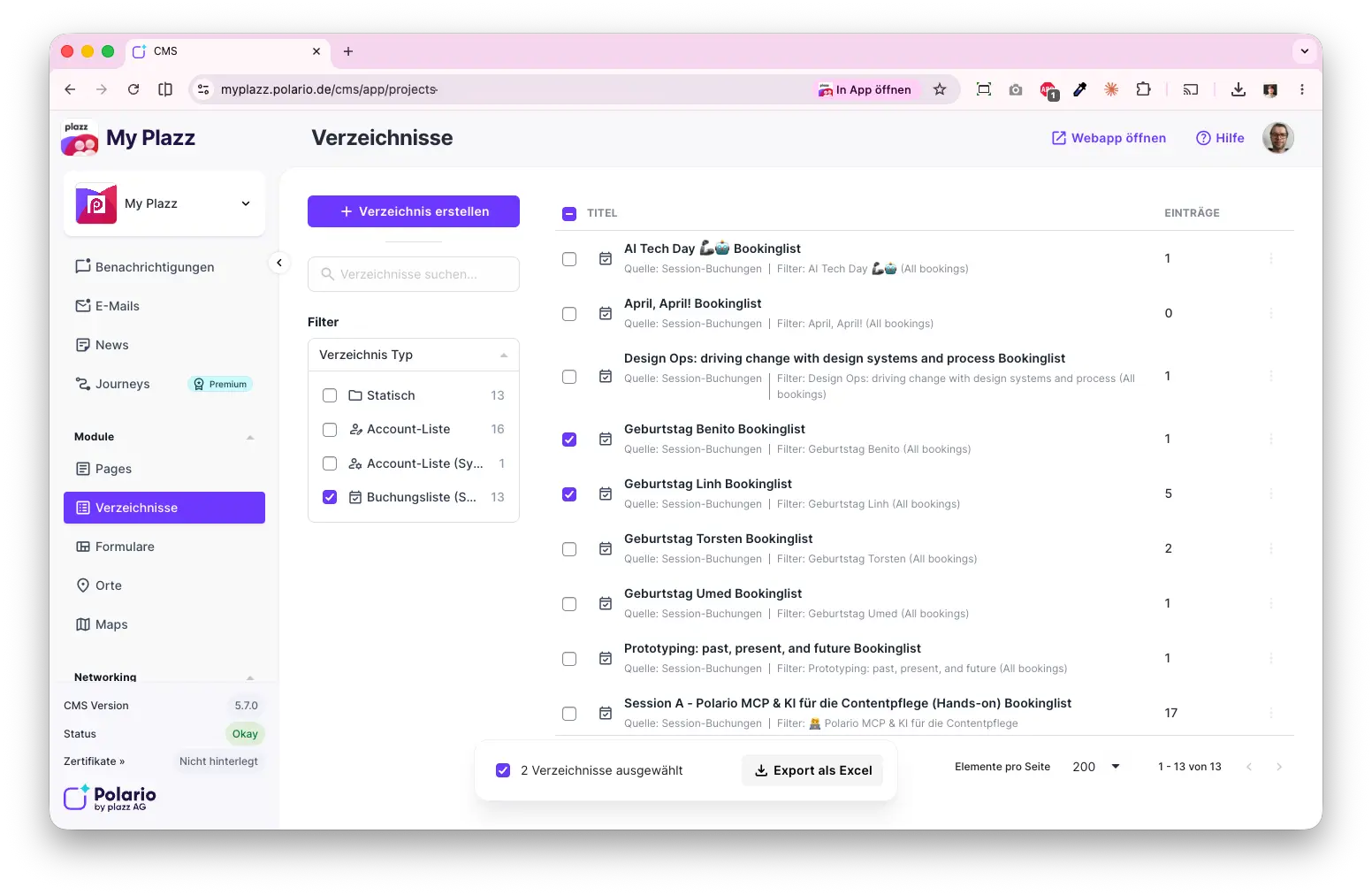
Until now, CMS administrators could only export directories one at a time. Anyone needing data from multiple directories had to initiate each export manually and separately – a considerable extra burden for large-scale projects.
You can now select multiple directories at once and export them as an Excel file in a single step. Each directory will appear as a separate worksheet in the file.
This feature saves time, particularly for events with multiple parallel booking lists, and helps to avoid errors caused by manual individual exports.
Neutral email design – an app-style look rather than Polario branding
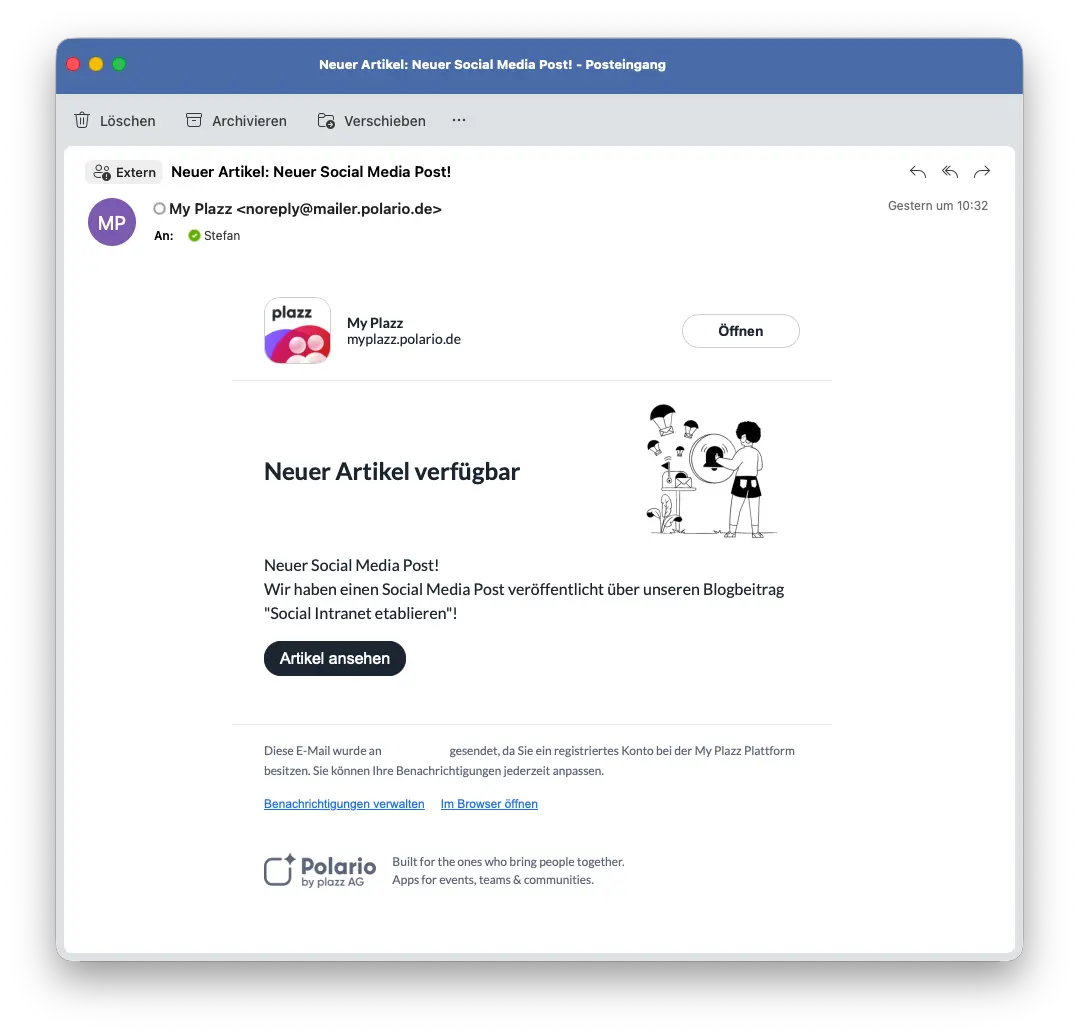
Until now, Polario’s standard email templates have featured prominent Polario branding. As most customers do not customise these templates, their users received emails that looked like they came from ‘Polario’ – rather than from their own app.
With this update, all 20 system email templates will be given a neutral design. They automatically retrieve the app icon, app name and app URL from the relevant project.
This means users receive emails that match the look and feel of the app they trust. CMS administrators no longer need to configure their own templates to ensure a consistent brand image.
Revised search results list in the web app
Until now, the global search function in the web app displayed all results in a single, unstructured list. Users had to scroll through the results and rely on visual recognition to find relevant content.
From now on, search results will be organised into separate tabs by content type. Only tabs with at least one result will be displayed; the first tab containing results is automatically selected.
This allows users to find relevant content more quickly and with less scrolling. The new component architecture also forms the basis for future search and recommendation features.
Bug fixes improvements
- Simplified password policy validation during account creation
- Simplified password policy validation during user import
- Account management can be carried out directly within the account details
- SSO provider table view updated
- Chat channel table view updated
- Group table view updated
- Page break adjustments (Part 2), partially implemented
- Media Library Manager has been migrated to non-obsolete code
- Fixed issue with duplicate sync calls in Grid scenes
- Fixed issue where a blank screen appeared instead of an empty state in the news list
- Fixed an issue where multi-line text alignment was missing in some search result lists
- Calendar header image is clickable again when a link is added
- Display of small and large keywords added
- Added a password reset dialogue that locks the screen when login credentials have expired
- Refactoring of profile settings completed
- Sentry // Fixed NoSuchFieldError for fontWeightAdjustment
- Corrected incorrect booking status for future bookable events
- Network // Tags customised in the directory widget
- Calendar // The scroll position in the calendar is no longer reset when returning from event details
- Inactive user status updated in chat
- Android-specific localisation keys replaced with generic keys
- The link button in directory entries is working properly again
- Profile (password) XML files migrated to Jetpack Compose
- Page // Fixed incorrect indentation in multi-line list items
- Polario Container // Empty profiles in directories are no longer displayed
- Public profile screen – Profile visibility status corrected
- User profiles now include network tags
- Make your hidden profile visible again
- Fixed duplicate STheme lambdas in onComposeReady
- Global search revamped
- Improved handling of media links
- Toggles for notifications when social interactions are disabled are now disabled correctly
- The ‘Forward’ button has been disabled for group chats without any members selected
- Korrekte Hintergrundfarbe für mit Lesezeichen versehene Widgets und Verzeichniseinträge
- The heading in the directory details is correctly aligned when there are no interactions
- Fixed an issue with creating a directory
- Booked entries in the user calendar will continue to be displayed after the bookmark has been removed
- Link to the correct directory entry from the directory details view
- Link handling in the directory details view has been updated
- Round images for all directory entries in the calendar details view
- Booking filter options in the calendar are hidden if there are no bookable entries
- Offline status displayed to offline users in one-to-one chats
- Fixed vertical scrolling through calendar list entries
- Revised directory filter sidebar