Skip to content





With Polario Update 5.10, the platform is gaining its own survey module for the first time. We are also expanding the editing capabilities for directory entries and giving CMS administrators greater control over the automatic translation of content. The focus is on greater interaction, more efficient data maintenance and better support for multilingual projects.
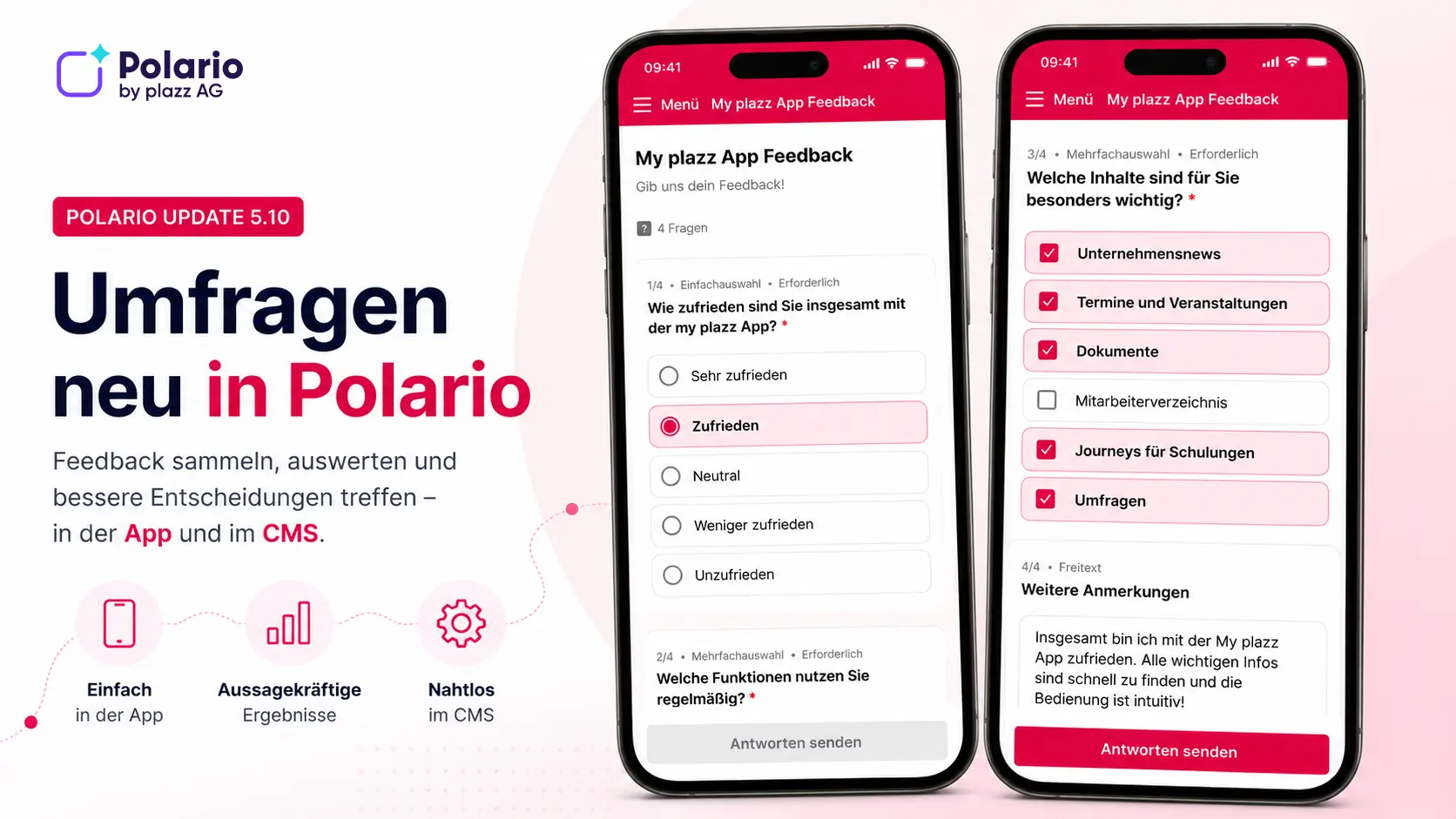
Create and analyse surveys directly in Polario
Until now, event organisers and companies have had to rely on external tools for surveys or polls. This meant additional licences, extra administrative interfaces and a greater organisational burden.
Polario 5.10 now includes a dedicated survey module. CMS administrators can create and publish surveys featuring various question types. Single-select, multiple-select and open-ended questions are supported. In addition, administrators can specify whether questions are mandatory, whether responses are recorded anonymously or with personal details, and whether users are permitted to take part once or multiple times.
Participants complete surveys directly in the iOS, Android or web app. The results can then be exported as a CSV file and, if necessary, reset without having to recreate the survey.
This means that feedback is collected directly within the platform. Additional applications or external management interfaces are no longer required.
Transfer directory entries directly to the relevant persons
Until now, directory entries could only be managed by CMS administrators. This often led to unnecessary coordination efforts, particularly in the case of exhibitor directories or company profiles.
With Update 5.10, individual directory entries can be specifically assigned to particular users or groups for editing. Tiered permissions for reading, editing and deleting are available for this purpose. Assigned users can update their entry directly within the app without needing access to the CMS.
A change history documents all modifications, including the person who made them and the timestamp. This ensures that it is always possible to trace who made which changes.
Greater control over automatic translations
Automatic translation makes international events and communities easier to manage. However, when it comes to proper nouns, company names or departments, it has, in some cases, led to undesirable results.
With immediate effect, CMS administrators can specify which fields are to be excluded from automatic translation, both for directory fields and for account profiles. This ensures that information such as names or company names remains unchanged, regardless of the language selected.
This ensures consistent presentation in multilingual projects and reduces the need for subsequent corrections.
Bug fixes improvements
- Settings for the translation of account profile fields have been added
- Added a static note when assigning editing rights for directory entries
- Directory listings now include status and access information
- Section headings added when editing directory entries
- Date and time selection when editing directory entries has been revised
- Dialogue boxes migrated to Jetpack Compose
- Fixed an issue with the visibility of areas
- Fixed a bug that caused an error message to appear when a calendar entry in the personal diary was clicked twice
- Automatically jump to the most recent calendar entry if there are no future appointments
- Text entered remains in the chat after an image has been uploaded
- Correct status display for disabled social interactions and hidden visibility
- Validation of media files is extended before new files are loaded
- Appointment locations from profiles within channels are imported correctly
- Fixed an issue with full-screen view when a directory request was returned with status code 403