Skip to content




With Polario 5.12, we are enhancing the planning and management of events on several levels. The web app features a redesigned calendar detail view and a direct calendar search function. Gamification has been expanded to include a leaderboard and additional ways to award points. Further additions include flexible display options for live polls, a booking overview in the CMS, Polario MCP V2, and support for the new iOS 26 design.
Redesigned calendar details in the web app
The web app’s calendar displays events both in a monthly grid and as a chronological agenda list. However, the previous detail view was not yet fully optimised for these new calendar views.
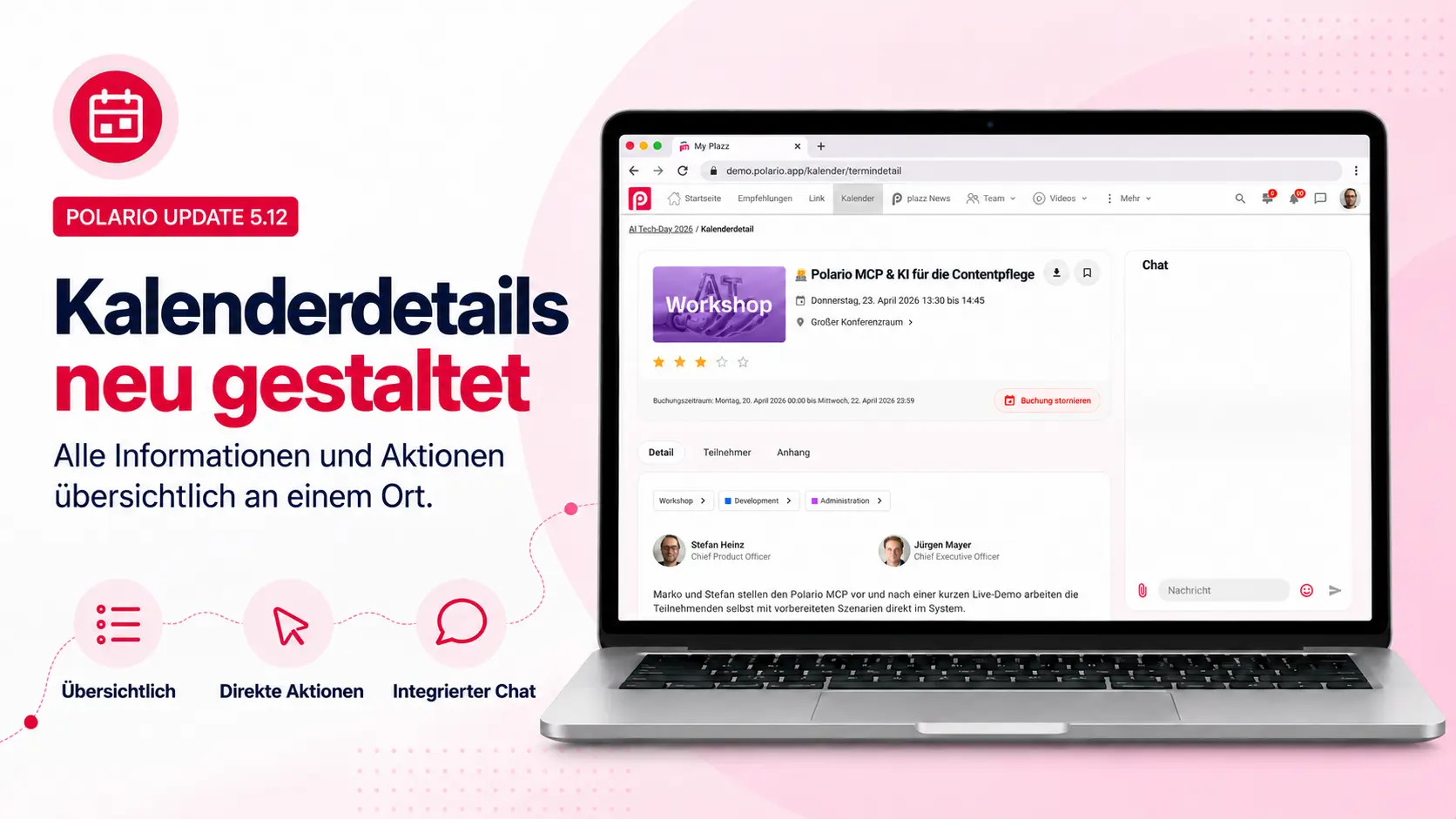
In Polario 5.12, the detailed view for calendar entries has been completely revamped. It clearly displays all available information – including date and time, venue, speakers, description, attachments, related links, maps and live streams. If a chat has been enabled for an entry, it appears in a separate column alongside the event details.
Key actions are also directly accessible. Participants can bookmark or book an entry, view tickets and download the event as an iCal file. They can then quickly return to the calendar via the new breadcrumb navigation.
The revamped view thus brings together all key information and actions in one place, making it easier to navigate extensive event programmes.
Search for events directly in the calendar
Until now, anyone wanting to search for a specific event in the web app had to scroll through individual days or use the global search. Searching within the calendar was only available in the native apps.
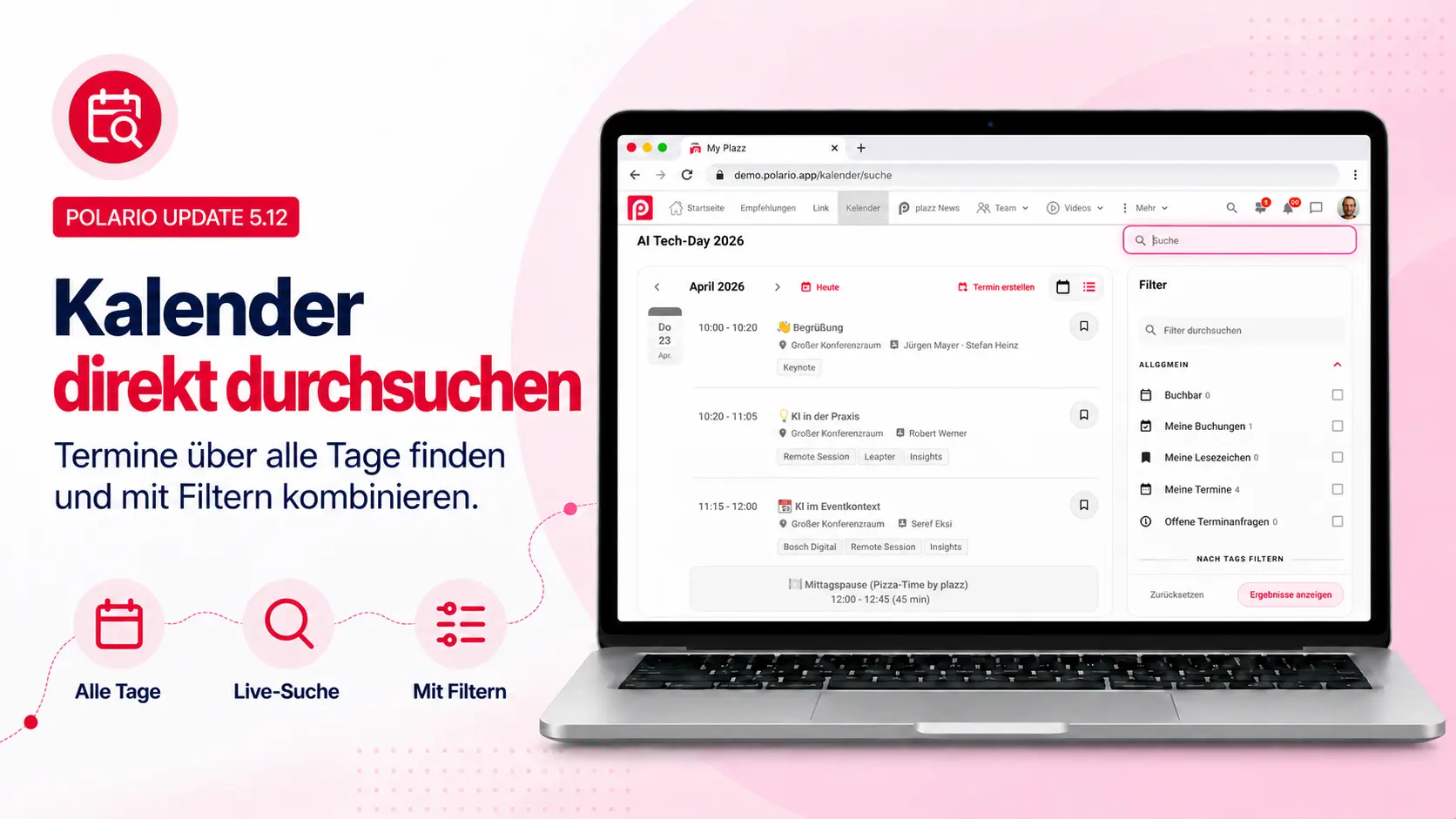
The calendar header in the web app now features its own search box. The search responds as you type and covers all days in the calendar – including past events. It searches titles, text content and stored address details.
Search terms can be combined with the existing calendar filters. The relevant entries appear in the usual chronological list and can be opened directly from there. If users then return to the calendar, the search term and the selected filters are retained.
This makes it possible to find relevant events more quickly, even in extensive calendars, without having to leave the calendar.
Viewing calendar bookings in the CMS
Until now, it was not possible to see in the CMS which calendar entries a particular person had booked. There was no central overview in the relevant account profile to check the booking status.
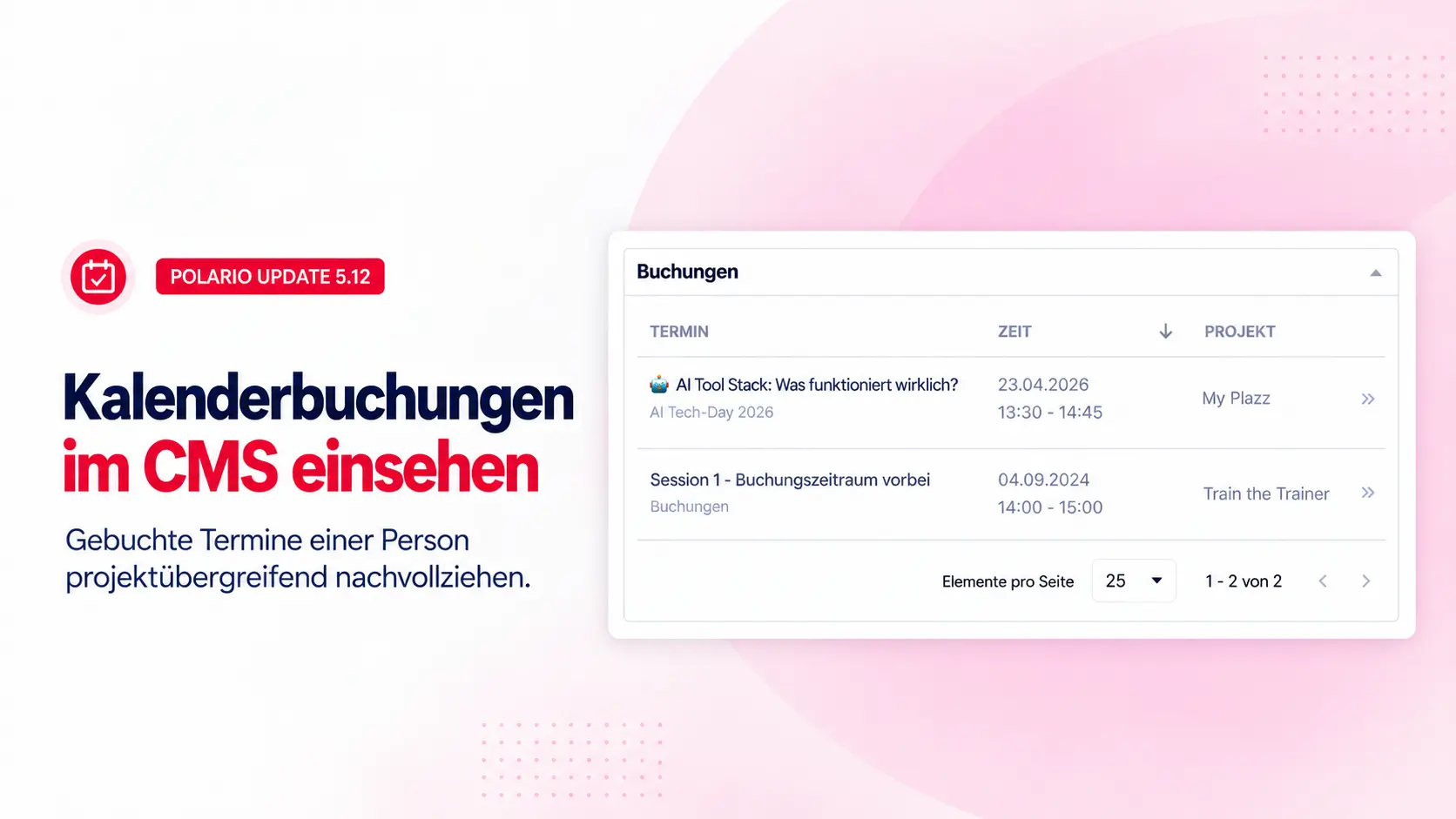
With Polario 5.12, the account profile now includes a drop-down section for calendar bookings. This displays the person’s existing bookings across all projects. The overview also includes past appointments; cancelled bookings are not listed.
For each booking, the CMS displays the title of the entry, the associated project and calendar, as well as the start time, end time and time zone. The entries are sorted by their start date. A direct action allows the relevant calendar entry to be opened in a new tab, whilst the account profile remains open.
The overview is for information purposes only. Bookings are neither edited nor cancelled here. CMS administrators can thus quickly check an account’s booking status without having to switch between different projects and calendars.
Gamification with a visible leaderboard
With the gamification feature introduced in Polario 5.11, participants earn points for selected activities. Until now, however, they have not been able to see how their score compares to that of other participants.
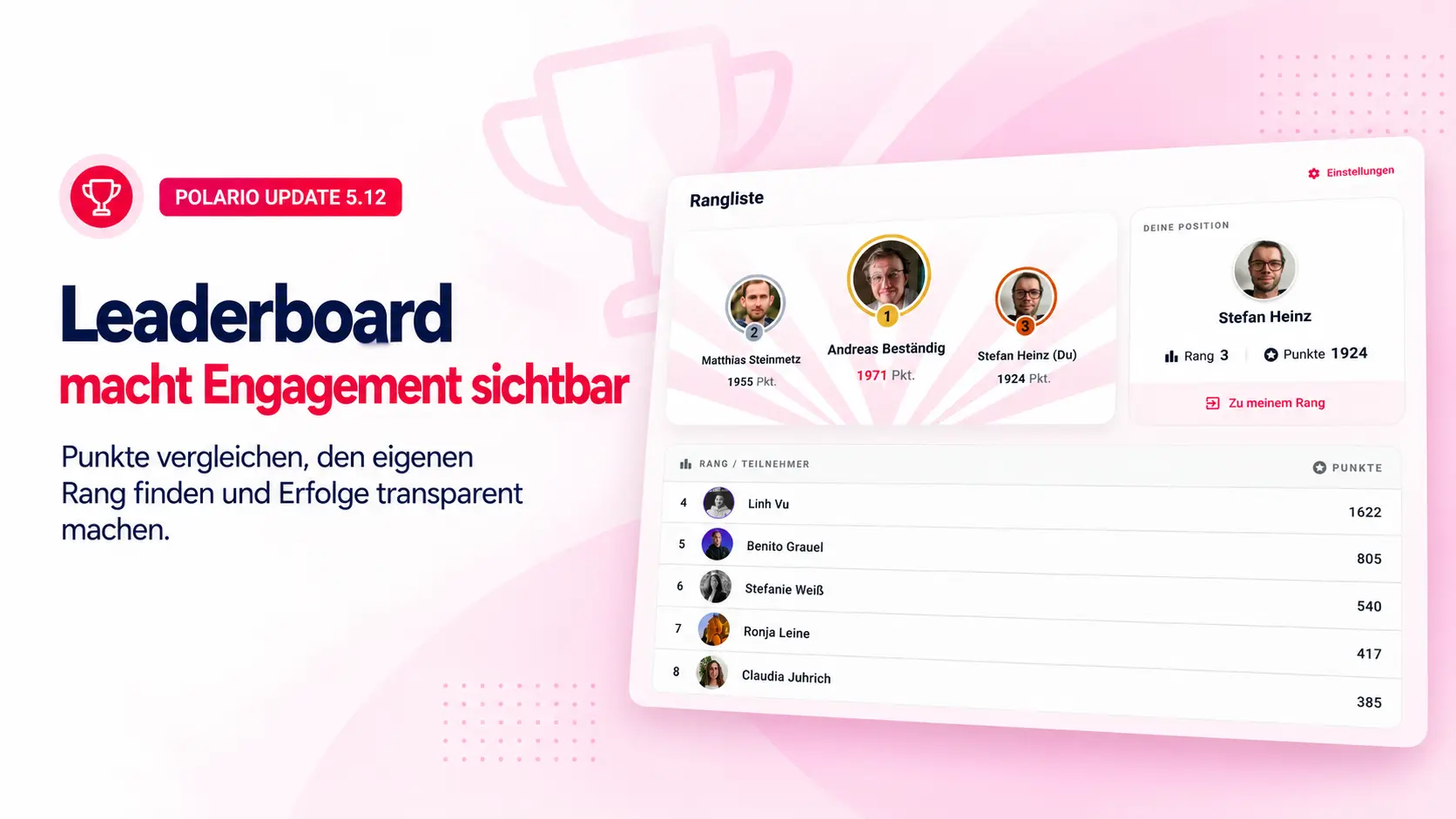
Polario 5.12 therefore introduces a project-specific leaderboard. The leaderboard shows the rankings of all participants. If several participants achieve the same score, they are awarded the same rank. Participants can easily find their own position on the leaderboard at any time.
The leaderboard takes into account the existing profile visibility settings. Participants with hidden profiles appear anonymously and are not displayed with their personal profile details.
CMS administrators can specify in the gamification settings whether the leaderboard is visible for a project. In addition, the leaderboard can be linked via the deep link picker, making it accessible at appropriate points within the app.
The leaderboard makes progress and rankings transparent and provides an additional incentive to actively engage with a project’s content and features. You can find further examples of gamification and engagement in the article on gamification examples.
Rewarding more activities through gamification
Until now, gamification rules could only respond to a limited selection of activities. As a result, many interactions within a project could not yet be rewarded with points.
With Polario 5.12, the rule set in the CMS is significantly expanded. Points can now be awarded for the following activities, amongst others:
- Bookmarking content
- Liking or commenting on news items and pages
- Sending messages in chats
- Creating entries in directories
- Opening selected content
CMS administrators define within their rules which activities are taken into account and how many points are awarded for them. The apps record an action as soon as it has been successfully completed.
This allows gamification to be tailored more precisely to a project’s objectives – from encouraging more in-depth engagement with content to fostering greater interaction and participation within the community.
Flexible display options for live polls
Polario’s moderator view displays poll results live on a screen or an external monitor. Previously, the display format was determined automatically based on the question type: multiple-choice questions appeared as bar charts, whilst free-text answers were displayed as a list.
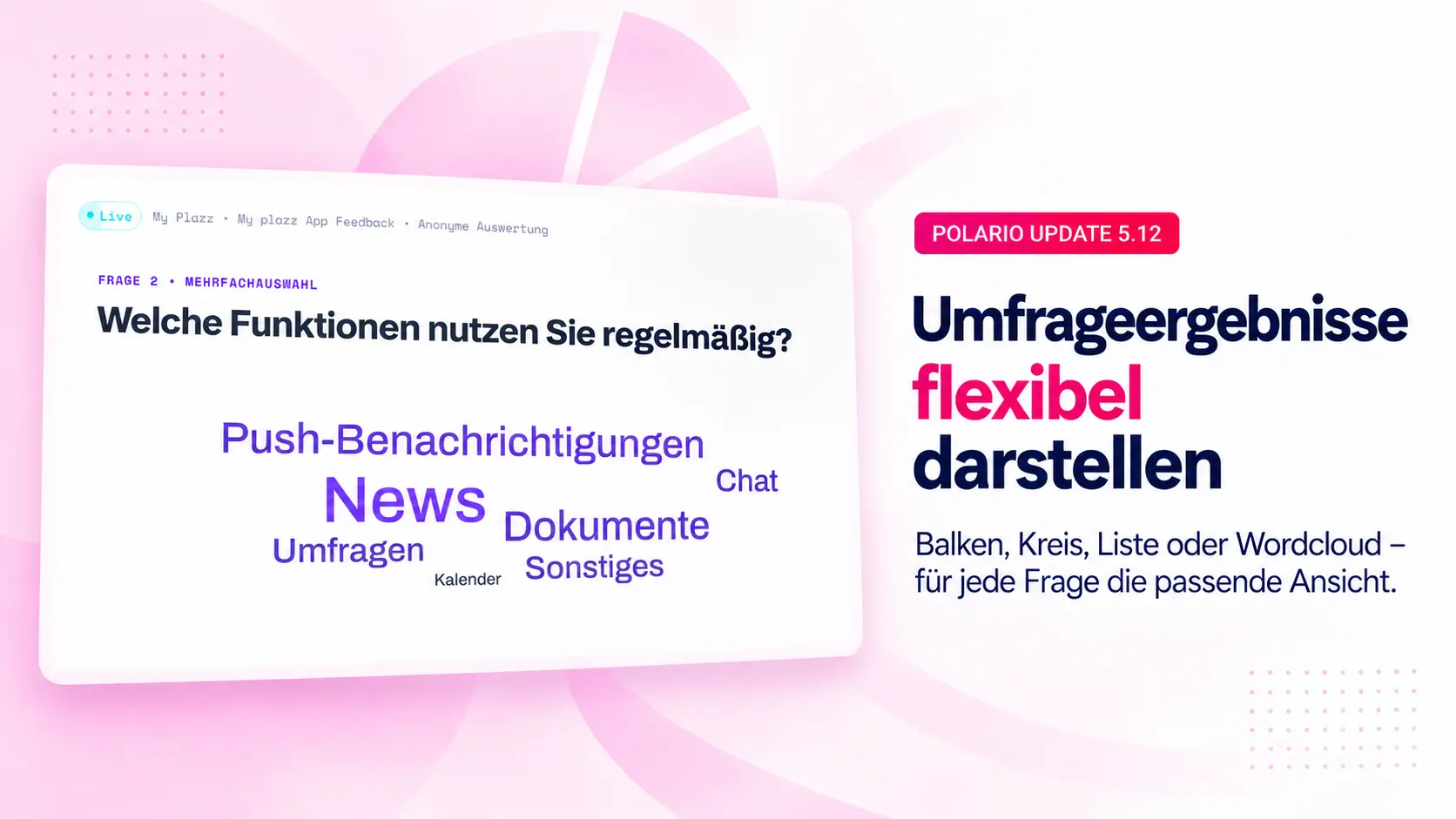
With Polario 5.12, CMS administrators can set the display style individually for each question. Depending on the question type, users can choose between bar charts, pie charts, lists and the new word cloud.
In the word cloud, frequently mentioned answers are highlighted in larger text. This makes it easy to quickly identify recurring terms and key themes, even when there are many free-text responses.
If no style is selected, Polario will continue to use the previous default display automatically. Existing surveys remain unchanged. This gives CMS administrators additional creative freedom without having to adapt existing presentations.
Polario MCP V2: Managing content with AI tools
Until now, content management has been carried out exclusively via the Polario CMS. There was no structured access for AI agents to assist with recurring tasks in content management or customer success.
With Polario MCP V2, each customer instance is provided with its own MCP server. This server makes selected content available via structured tools. In the current version, calendars, calendar entries, directories and directory entries can be created, edited and deleted.
Authorised plazz staff can connect AI tools such as Claude or Copilot to a Polario instance and maintain the supported content in natural language. The functions available depend on the permissions of the Polario account being used.
The current range of features forms the basis for further AI-supported workflows. Additional tools and direct access for customers are planned for future versions. Further information can be found in the article on Polario MCP.
Polario supports the new design of iOS 26
With iOS 26, Apple has revamped the look and feel of key system interfaces and introduced new technical foundations for controls and navigation. To ensure that Polario works reliably with the new operating system version, the iOS app has been extensively adapted. Further information on the new features can be found in the article on the iOS 26 app update.
Title bars and buttons now reflect the new look and feel of iOS 26. Dialogue boxes, search fields, navigation actions and the floating button have also been redesigned. Furthermore, Polario supports the operating system’s new Liquid Glass effects.
These adjustments ensure a modern, consistent look and feel and guarantee that the Polario app can be used reliably on iOS 26.
Bug fixes improvements
- folgt
- folgt
- folgt
- folgt