Skip to content





With Polario 5.9, we are expanding the options for content management directly within the app, providing greater flexibility for CMS administrators and laying the foundations for AI-powered automation. Users can edit directory entries in greater detail, administrators gain more control over content and default settings, and, with Polario MCP, the platform is opening up to AI-based workflows for the first time.
More options for editing directory entries
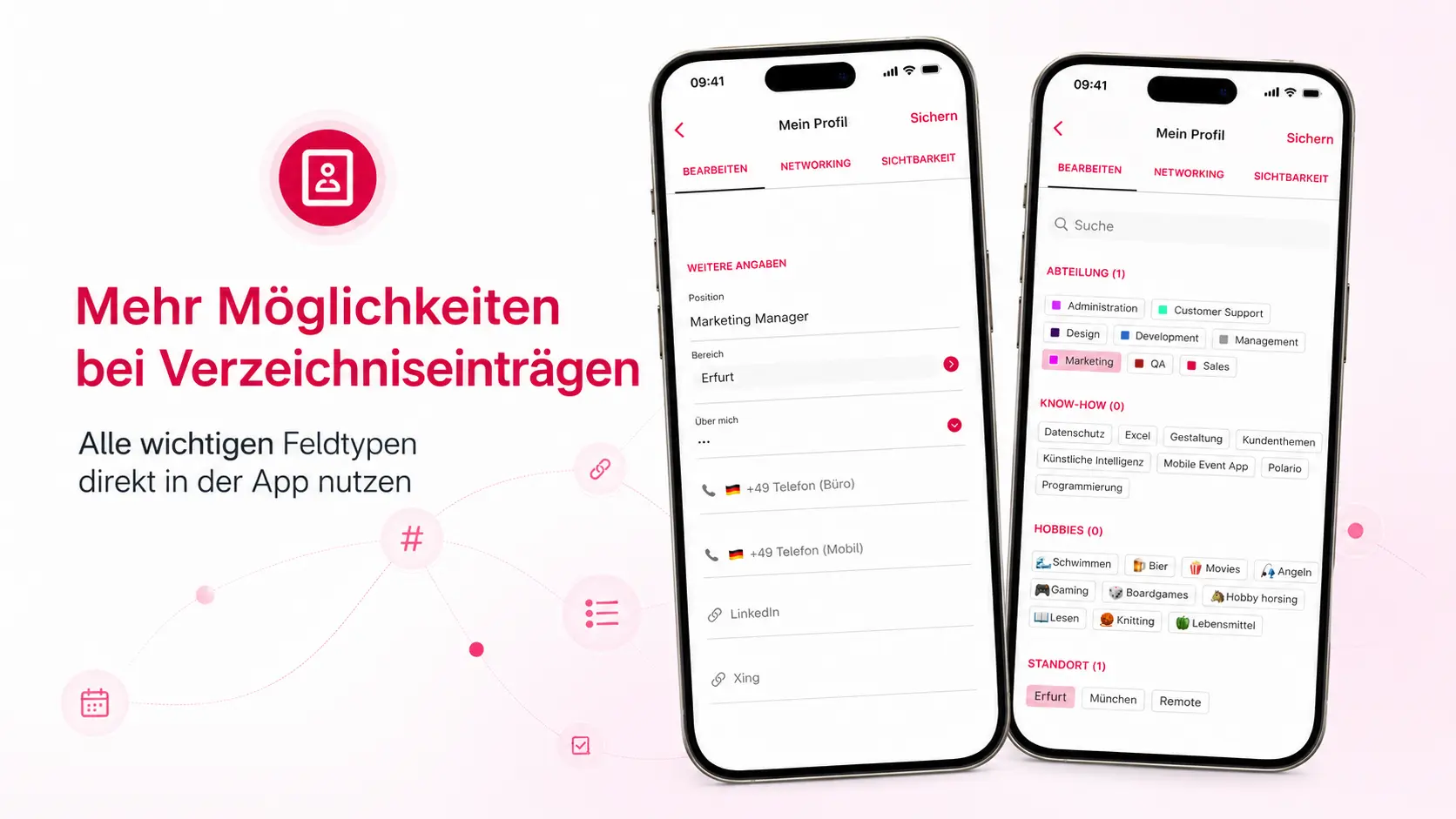
Directory entries can already be created and edited directly within the app. However, until now, not all field types available in the CMS were accessible. Certain details had to be added later by CMS administrators.
With Update 5.9, iOS, Android and the web app now support all relevant field types. These include, amongst others, date and time fields, number fields, selection fields, as well as tags and directory links. Users can fill in this information directly whilst creating or editing an entry. A dedicated search and selection view is available for tags and links.
This results in complete directory entries being created directly in the front end, without the need for any further editing in the CMS.
Prepare directory entries as drafts
Until now, new directory entries were visible immediately after they were created. There was no option to create content in advance or to hide it temporarily.
With Polario 5.9, CMS administrators can save directory entries as draughts and, if required, publish them or revert them to draught status. As long as an entry is in draught form, it remains invisible to users in the app and the web app.
This makes it easier to plan content and allows posts to be published at the exact time you want.
Set default values for new users centrally
Depending on the area of application, the requirements regarding data protection, visibility and notifications vary significantly. Until now, however, fixed default settings have applied to new user accounts.
With immediate effect, Super Admins and Global Admins can define these default settings centrally in the CMS. These include, amongst other things, profile visibility, email settings, networking functions and notifications. The settings applied automatically apply to newly created accounts and can still be customised by users.
This makes it easier to tailor each Polario instance to its specific purpose.
Polario MCP: The foundation for AI-powered workflows
With Polario 5.9, we are introducing the Polario MCP Server, thereby laying the technical foundations for collaboration with AI assistants and external systems.
In future, authorised applications will be able to read and write content – such as directory entries, news items or calendar entries – via the standardised MCP interface. This will enable many recurring tasks to be automated without having to open the CMS manually.
In doing so, Polario lays the foundations for future AI-powered processes and agent-based workflows relating to content management.

AI in Polario CMS: How MCP simplifies complex platform operation
Polario MCP simplifies AI-powered content management within the CMS – from calendars and directories to imports, bulk actions and demo content.
Bug fixes improvements
- Revision of the user interface for access rights to support multi-level authorisation configurations and individual accounts
- Fixed a bug where the location could not be created directly from calendar entries
- Fixed a bug where the sender address for email notifications was not removed correctly when copying
- Fixed a bug in the calendar view where the search function was not working correctly
- Speech recognition has been enhanced so that the base language is also taken into account where necessary
- Improved display of views by reducing unnecessary recalculations
- Optimised loading process for channels
- Revision of the observer logic within the view models
- Revision of the synchronisation logic within the view models
- Improved process for renewing sessions
- Improved handling of Sendbird connections
- Optimised scrolling behaviour across all Sendbird-related channels
- User feedback added when creating appointments
- Fixed an issue where scroll pagination was missing in recommendations
- Fixed an issue where the import of Sendbird messages could be affected by rate limits
- Fixed an issue where the first input in text fields was not recognised
- Fixed a bug where favourites could not be saved or deselected in calendar details
- Crash when editing address fields in directory entries fixed
- Fixed an issue with the display of image fields when editing directory entries
- Crash following interaction with a menu item fixed
- Support for extended field types when editing directory entries has been updated
- Fixed an issue where the account page could not be scrolled after a new feature update, resulting in content being hidden