Skip to content




With the new Polario Update 5.6, we are enhancing key features relating to the calendar, search and appointment management. The focus is on guiding users to relevant content more quickly and making it easier to plan events.
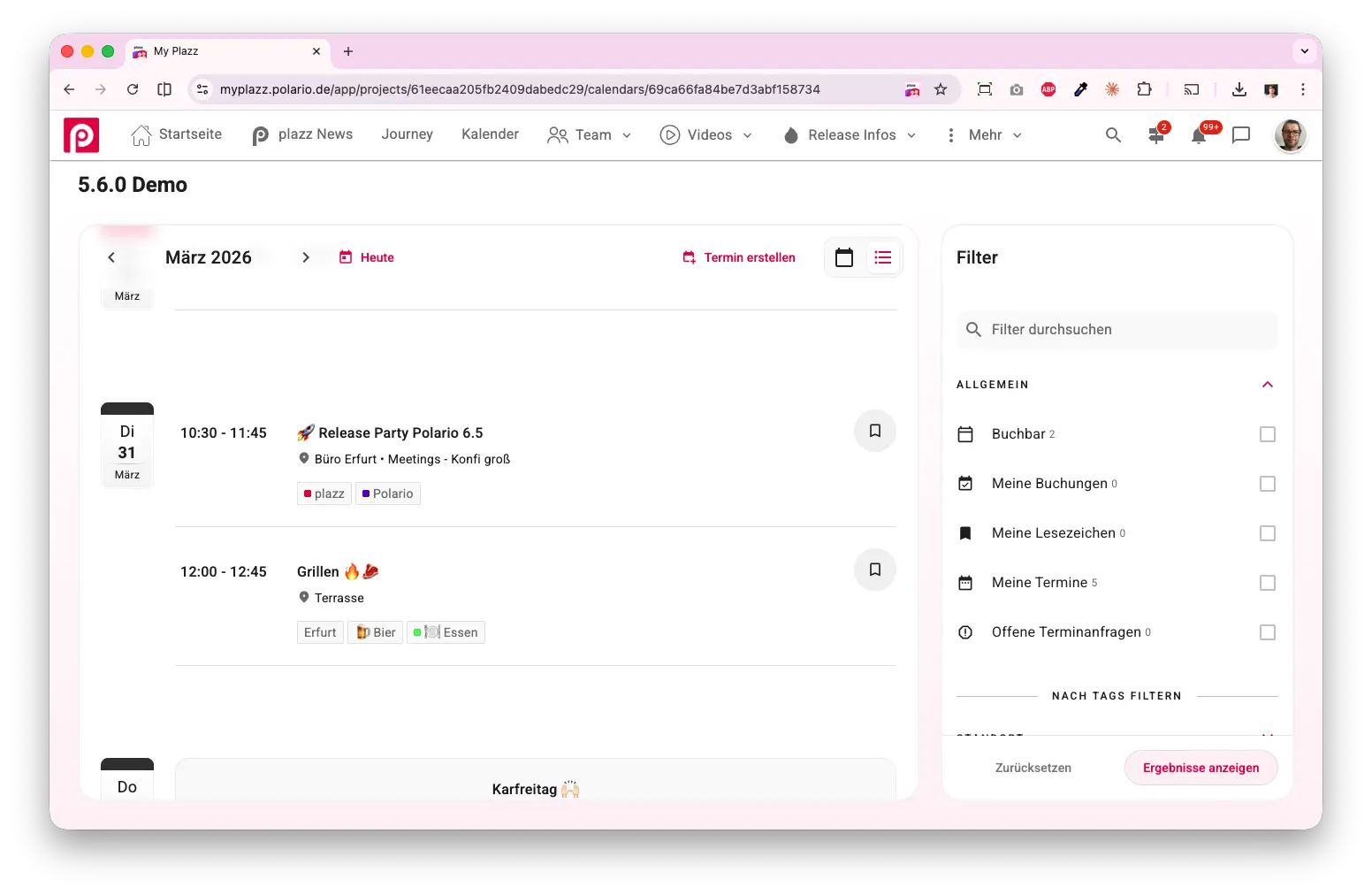
A new calendar for a clearer overview
Especially when event schedules are packed, a standard monthly view is often not enough. Participants have to go to great lengths to piece together the details.
That is why the calendar has been completely redesigned. In addition to the familiar monthly view, there is now a list view that displays all appointments in chronological order. This is the default view when you open the calendar.
You can also click directly on dates in the calendar to view all associated events.
This means that participants can see their relevant appointments straight away and no longer have to click through several different views.
Clear allocation of meeting venues
When booking appointments, it was often unclear where a meeting was taking place. Participants had to sort this out among themselves.
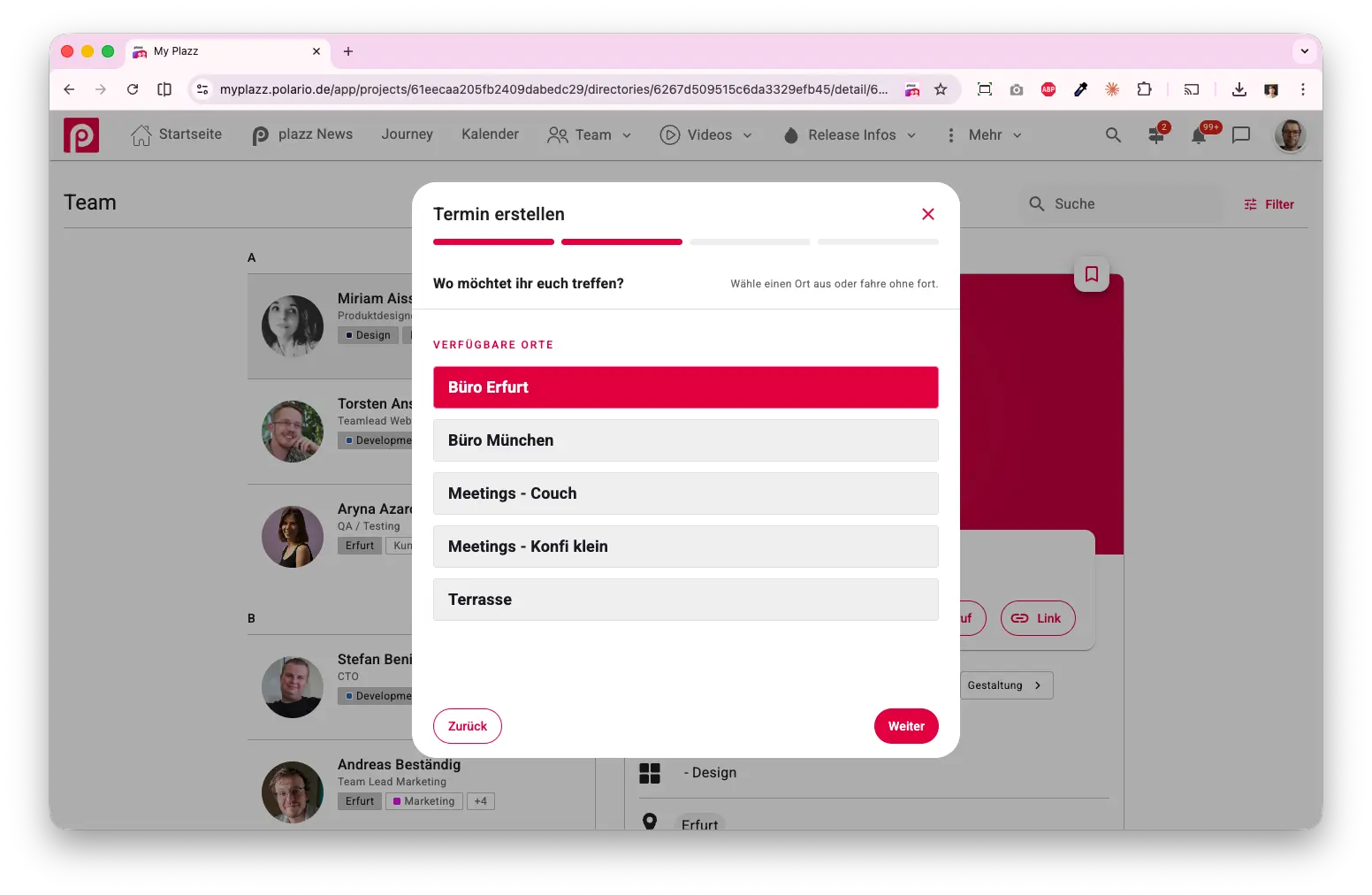
With the new event venues, organisers can:
- Define rooms or tables
- Set participant limits
- Assign specific dates to venues
When booking, a suitable venue is automatically suggested, which can be changed if necessary. Booked venues are blocked for each time slot.
This means that meetings have a clear venue right from the start – without the need for any additional coordination.
Feedback directly in the calendar
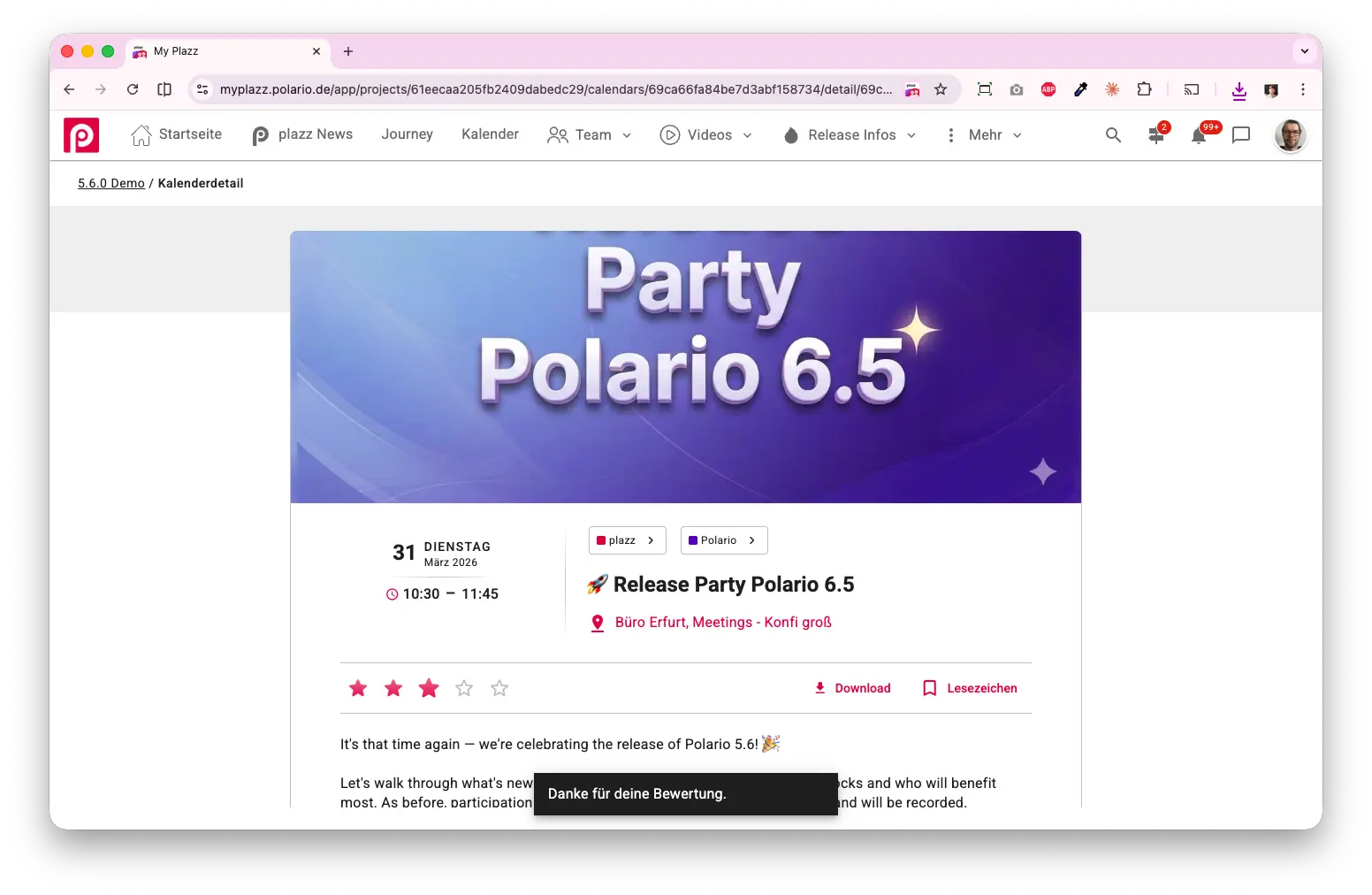
Until now, there hasn’t been a straightforward way to rate individual events directly within the app.
With the new rating feature, participants can rate events on a scale of 1 to 5 stars and update their rating at any time. Organisers can view the aggregated results in the CMS.
This makes it possible to provide direct and comparable feedback on individual programme items immediately within the context of the event.
Improved search in the native apps
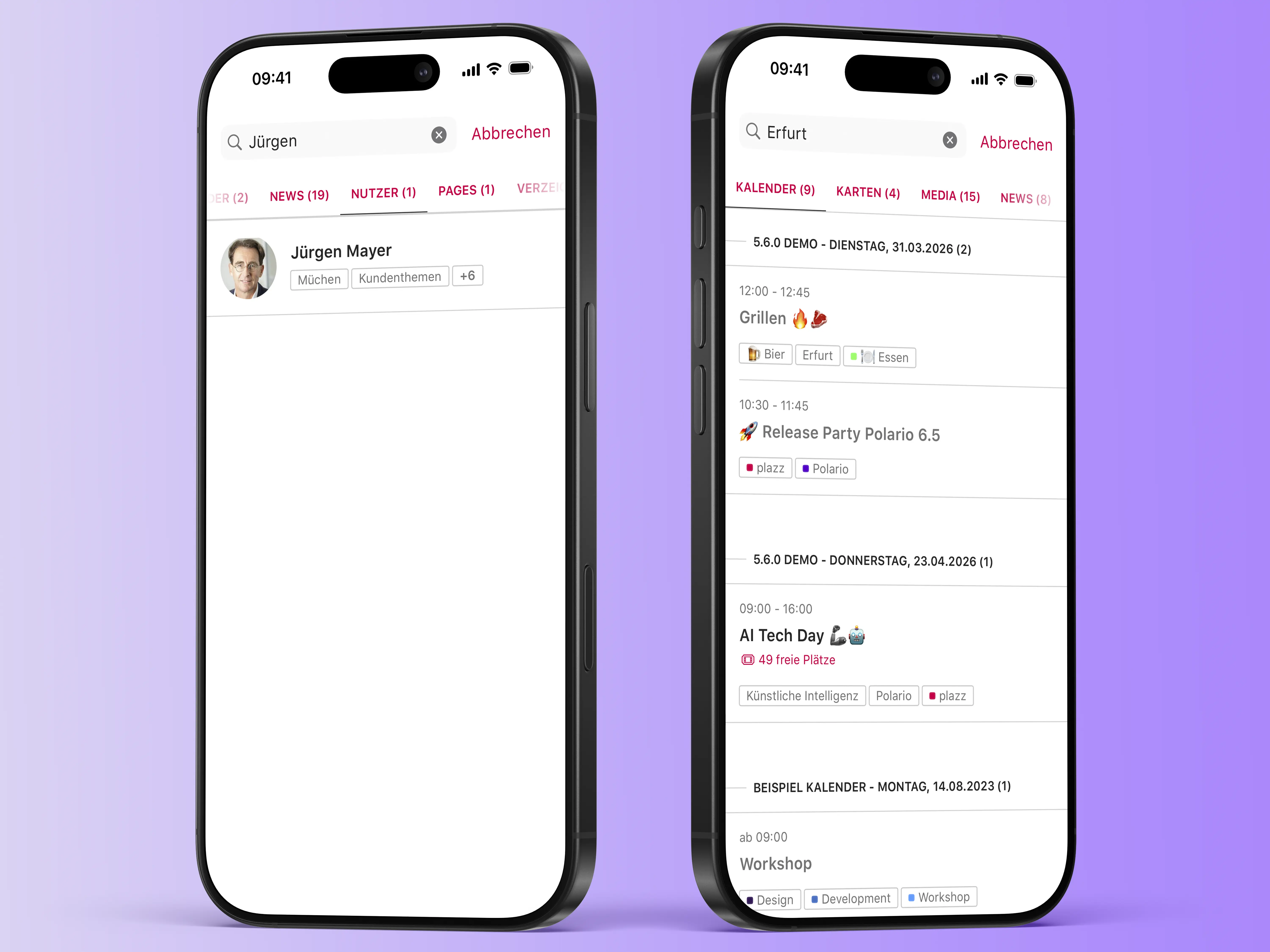
The search function in the native apps has been made clearer. Instead of a long list of results, content is now displayed grouped by type.
Results are organised into tabs, which only appear when relevant content is available. The most relevant tab opens automatically.
This makes it easier to find the content you’re looking for without having to scroll for ages.
Automatic reminders for appointments
Saved appointments were not previously actively notified, meaning they could easily be overlooked.
From now on, participants will automatically receive:
- a push notification 30 minutes before it starts
- an email 24 hours in advance
The settings can be customised.
This means important dates no longer get overlooked, and participants stay better informed.
A preview of Polario Update 5.7
With Polario 5.7, we are focusing on the use of artificial intelligence and further improvements to the event experience. A key component is laying the groundwork for intelligent user recommendations that will automatically suggest relevant contacts and content in future.
In addition, the web search function is being revamped, the email design modernised and user import further optimised. Features such as preventing overlapping bookings and mandatory password changes also ensure greater structure and security in event management.
Bug fixes improvements
- ID field added to account metafields
- Wording for text block meta field updated
- Tables for push notifications, directory listings, locations, social feeds, live streams, calendars, directories, pages and news have been updated
- Filter for directory table expanded
- Loading of media items has been switched to chunked requests
- The account list search now takes the full name into account
- The calendar menu can now be filtered by keyword IDs
- Fixed an issue with filtering media items by project copy
- Fixed an issue with directory export caused by special characters in the worksheet name
- Fixed an issue with loading the Analytics page
- Fixed an issue with the behaviour of internal links
- Fixed a bug where multiple images could be uploaded even though only one was permitted
- Fixed an issue where “Discard unsaved changes” was displayed even though no changes had been made
- Fixed an issue where empty group entries were displayed after deleting an account
- Fixed a bug where the ‘Save All’ status was not reset in the localisation
- Fixed a bug where the ‘Save All’ status was not reset in the localisation
- Added confirmation dialogue when deleting calendar entries
- Incorrect booking label in calendar entries corrected
- Fixed an issue where files were being resent in chats and social feeds without content
- Settings for appointment and journey notifications, as well as emails, have been added
- App crash with deep links fixed
- Distorted speaker profile pictures corrected
- Fixed HTML code in the subtitle of the directory widget
- The QR code for opening the front end is working again
- The ‘Create new chat’ icon is hidden correctly
- System messages will no longer be overwritten when changes are made to chat members
- The channel opens correctly after creation
- Fixed padding issues with calendar, speaker and directory elements
- Incorrect colour representations corrected
- The “No projects” message displayed after logging in has been resolved
- Scaling issues resolved
- Error message regarding privacy and terms of use corrected
- Fixed an issue with colour changes in Dark Mode
- The chat button is hidden correctly when chat is disabled
- Crash when sending multiple messages in chats fixed
- The chat search no longer works using first names alone
- Added a display showing the 100-user limit in group chats
- The message status is updated correctly
- The user list for new chats is retained after rotation
- The notification icon is hidden correctly
- Fixed an issue with bookmarks in guest mode
- Display error for meeting participants fixed
- Empty states for archived/draft news items and pages have been added
- Switching to Data Store instead of Shared Preferences
- The location filter in the calendar list works correctly
- Checked and corrected the keyword ID filter in the menu
- Improved navigation using an external keyboard
- Display of public profiles corrected
- Sentry configuration checked
- Localisation updated
- Offline banner updated
- Faulty tokens fixed due to data store implementation
- ChatListFragment and ChannelListFragment have been updated
- Architecture streamlined (redundant use-case interfaces removed)
- Lifecycle adjustments made
- Resource limits set
- Docker image and deployment configuration updated
- Revised filter sidebars
- Calendar layouts (list and monthly view) have been updated
- Localisation key updated
- Unused keywords are taken into account in the calendar filter (for URL parameters)
- Offline banner redesigned
- Fixed an issue where multiple cards appeared on a single page
- Fixed infinite loading of social feeds
- The Networking tab is hidden if there are no tags
- The preview for news drafts is working again
- The border colour of the indicators in the menu has been corrected
- Fixed an overlap in the marker detail header